





Tips Index
Jango, an online free music streaming service launched in November 2007, was co-founded by Daniel Kaufman and his partners in New York.
Jango allows users to create and share custom radio stations and recommend music according to their preferences. It also recommends listeners with the same music preferences to users and allows users to score songs and singers to determine the frequency of songs played on a custom radio station.
In addition, the website also provides a platform for independent musicians to publicize and promote their own music. Most online free music streaming services do not provide a download feature for offline viewing.
Using VideoPower YELLOW, you can record Jango Music and listen to it offline on your computer.
To install the program, you must first download the software by clicking the link below.
Steps:
1. Run the VideoPower YELLOW
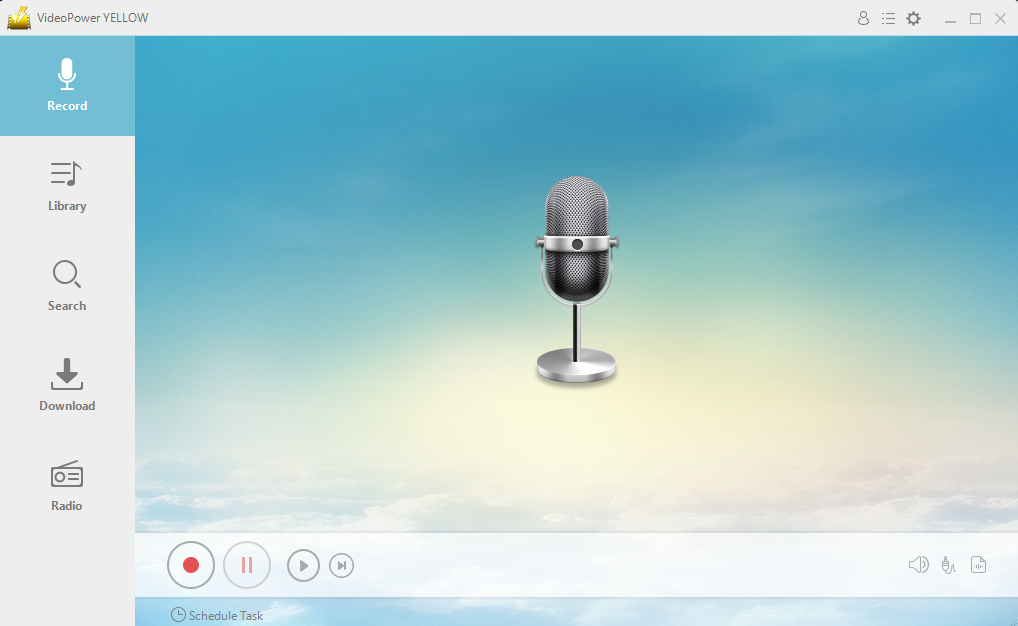
After you run the program, you will automatically be directed to the recording interface. It should look like this:
2. Set the sound source
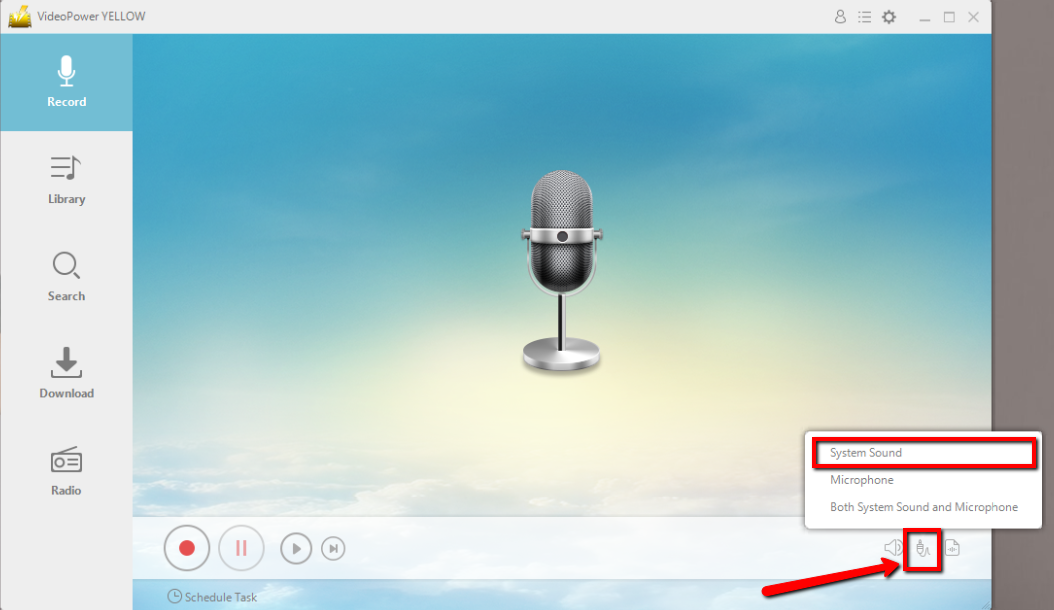
Before recording the Jango track, make sure that the sound source is set to “System sound.”
3. Set the file format
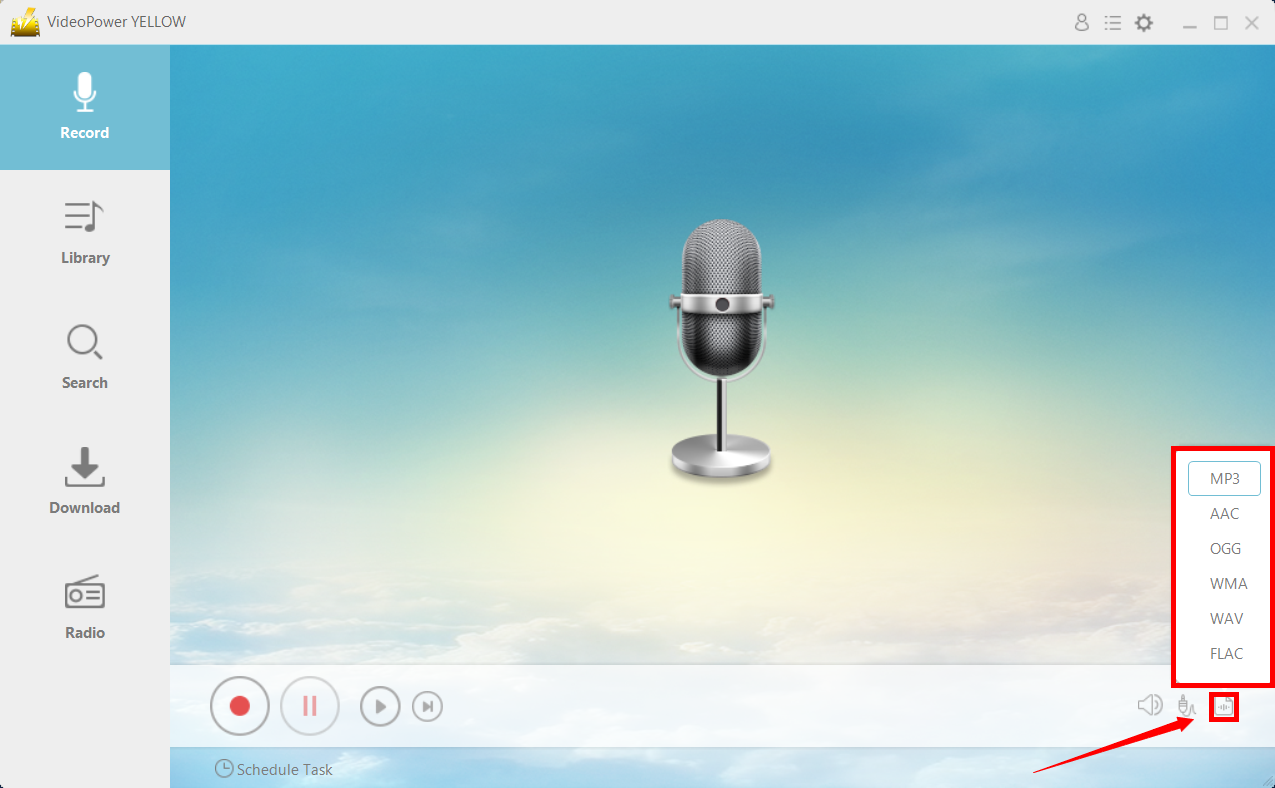
Make sure that the recording is set in the format of “MP3.” – or whatever format you deem appropriate.
4. Start Recording
Click the “Record” button to start recording.

5. Play Jango music
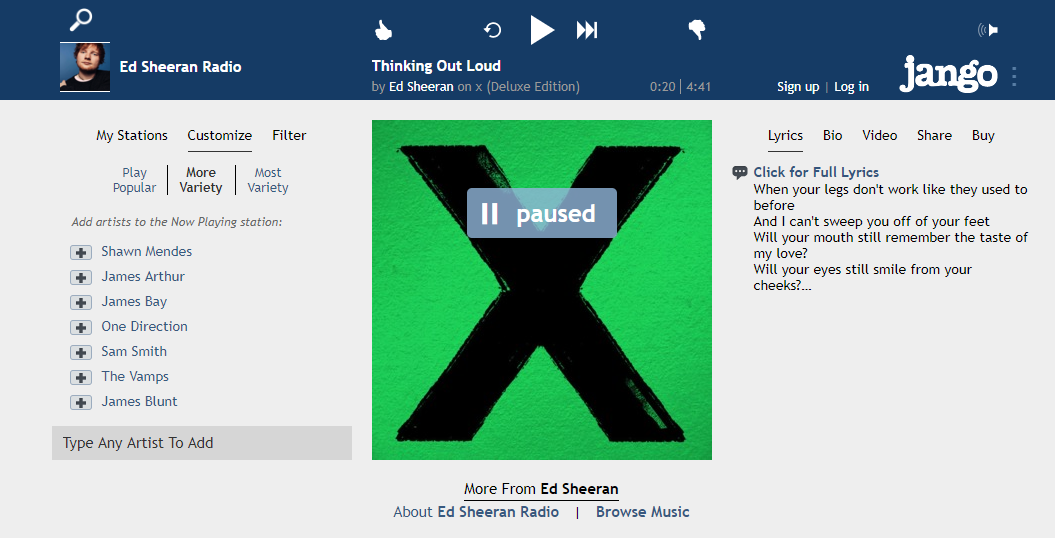
Go to the Jango track that you want to download and play it.
6. File location
After recording, right-click the recorded track icon and click “Open folder” to open the storage location of the recorded audio file or click “Delete” if you want to delete the file and record again.

Conclusion:
Because there are very few options out there for offline listening, VideoPower YELLOW provides an option where you can record the songs from Jango and listen to them offline.
Aside from recording music in Jango, VideoPwer YELLOW has a built-in library for you can find all the recorded files. After you finish the recording, just enter the list to achieve more features. It is simple to check the file or open the destination folder to locate the audio on the PC instantly. You are also allowed to listen to the audio and delete the unwanted files at will.



