





Tips Index
Nowadays, online resources are becoming more and more abundant. Along with the popularization of the Internet, many online sites and contents are slowly coming out and showing off to make a name online. One of these is an American video-sharing platform called YouTube.
YouTube is one of the world’s largest video-sharing site that allows users to access varied videos they prefer online. But then, it would still be a bit problematic for those who found hard connecting online.
Therefore, many users are searching for a third-party tool that can help users download audio from YouTube for them to enjoy listening to audio anytime they want and anywhere they are.
VideoPower YELLOW, an amazing, hassle-free, trusted and has various professional features audio recording application software is best suited for this kind of matter. Downloading audio from YouTube and saving it as MP3, MP2, AAC, WAV, WMA, or other common audio formats to your computer is now possible.
Method 1: Audio Recorder
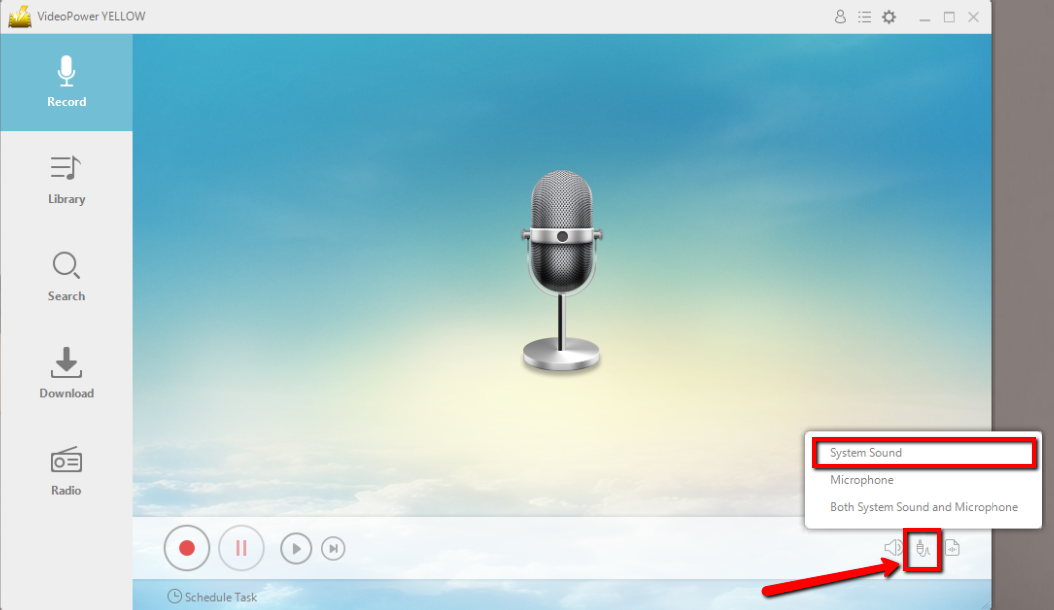
Before recording, make sure that the sound resource you chose is “System Sound”.
Click the start recording button at the bottom left of the screen and click the same button to stop when you are done recording.

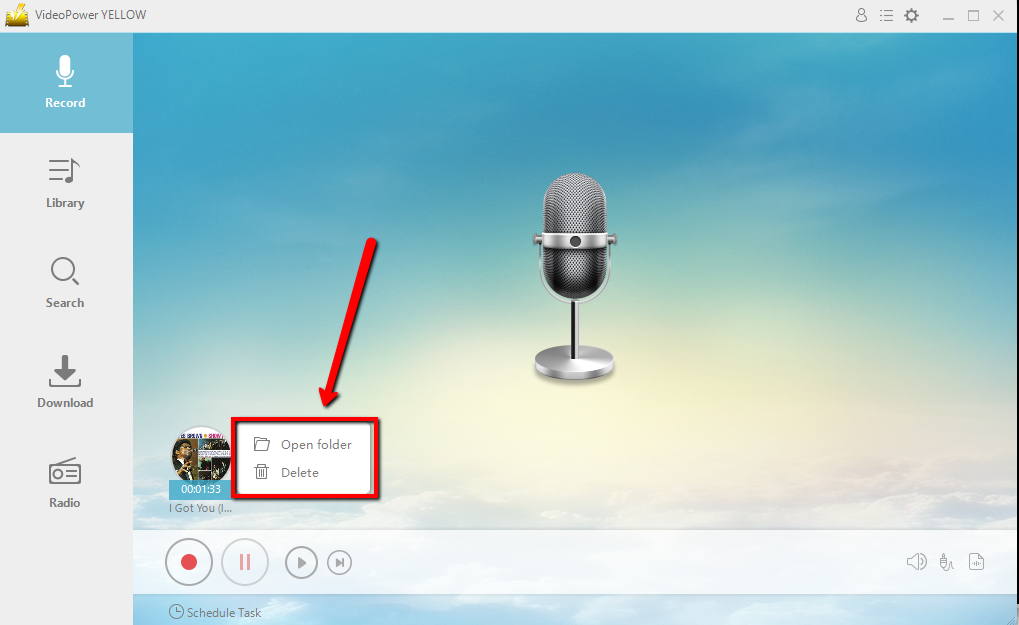
After recording right-clicks the recorded track icon and click “Open folder” to open the storage location of the recorded audio file.
Method 2: Scheduled Task Audio Recorder
If you don’t have time to sit in front of the computer and keep waiting for the recording to end, this setting is for you.
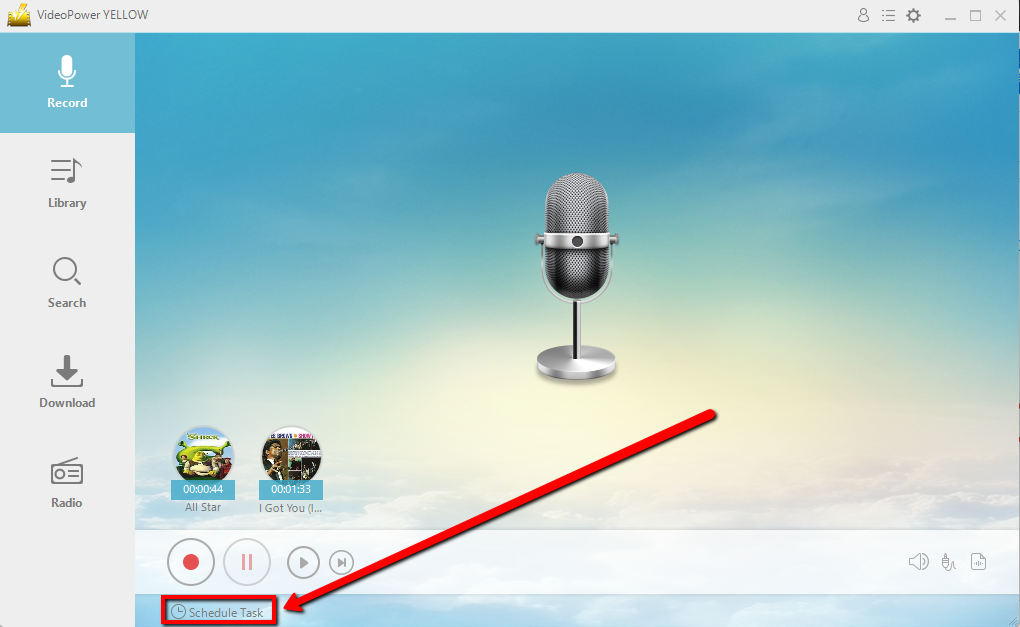
Click “Scheduled Task” at the lower left of the main interface.
Create a task and Set the start and end time as preferred. Click “Ok” to save the task.

Conclusion:
Despite having countless audio sources online, there are users who chose to listen to downloaded audios from YouTube. Listening to an audio file offline is highly preferable for most of the users who usually cannot go online.
In this case, a third-party tool that can download audio from YouTube would be highly needed. Thus, VideoPower YELLOW, an amazing, hassle-free, trusted and has a variety of professional features application software can help YouTube audio recording possible. This product is best suited for this kind of matter as it doesn’t only record audios but it also has different useful and professional features to help improve recorded files like converting videos to MP3 or other formats, ripping music, burning music to cd, downloading audios, task scheduler and many more.



