





Tips Index
Amazon Instant Video, formerly known as Amazon Video, is an Internet video-on-demand service provided by Amazon.com in the United States. It provides rental and purchase of TV programs and movies.
Users with Amazon Prime membership can stream more than 40,000 movies and TV series free of charge.Amazon Instant Video is a great online platform to watch online videos and movies.
However, some people prefer watching offline and sometimes they wanted to transfer those videos and movies to their portable devices for outdoor purposes.
In relation to this, VideoPower Green is a perfect video recording software to record Amazon Instant Videos.If you want to record your videos for offline viewing, just click the download link below to install the software.
Download this Video Recorder and try it for free!
Step 1: Record screen activities.
Run VideoPower GREEN if you have installed it on your PC.
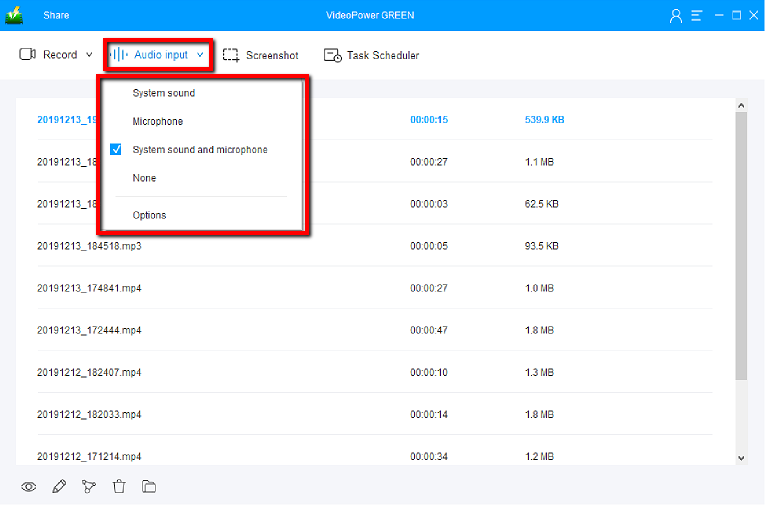
Choose a sound source.
You can choose “System sound, Microphone, System sound, and microphone or None.” To record streaming video, you can select “System sound”.
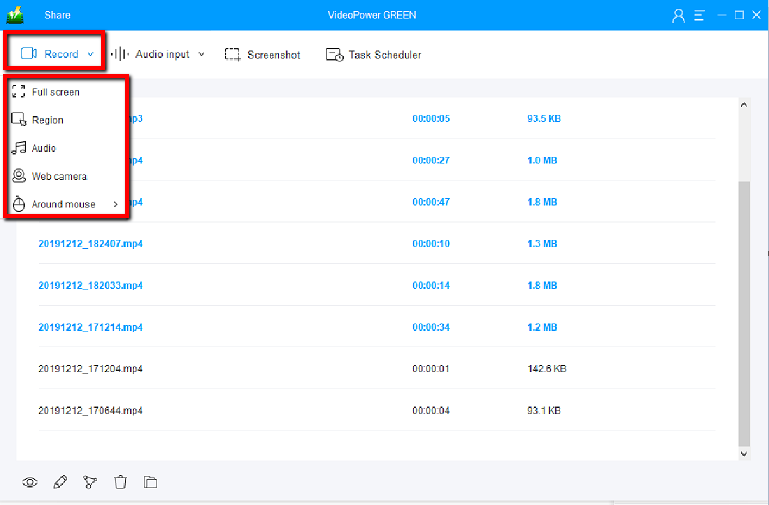
Select a recording area.
Click on the “Record” button to choose the recording mode from “Full screen, Region, Audio, Web camera, Around mouse”. Select the area you are going to record.
Step 2: Start to record.
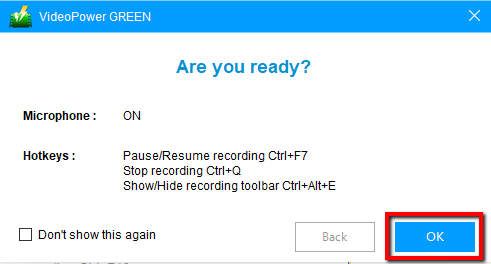
2.1 Confirmation Prompt
The pop-up window will ask whether you are ready to start recording, click “OK” to confirm when you are ready to record.
2.2 Edit video while recording
While recording you can add lines, arrows, shapes, texts, highlight, blur, etc. by clicking the edit button.

Step 3: End the recording.
Click the “Stop” button to stop recording.

After that, the recorded file is already saved in the pointed output folder.
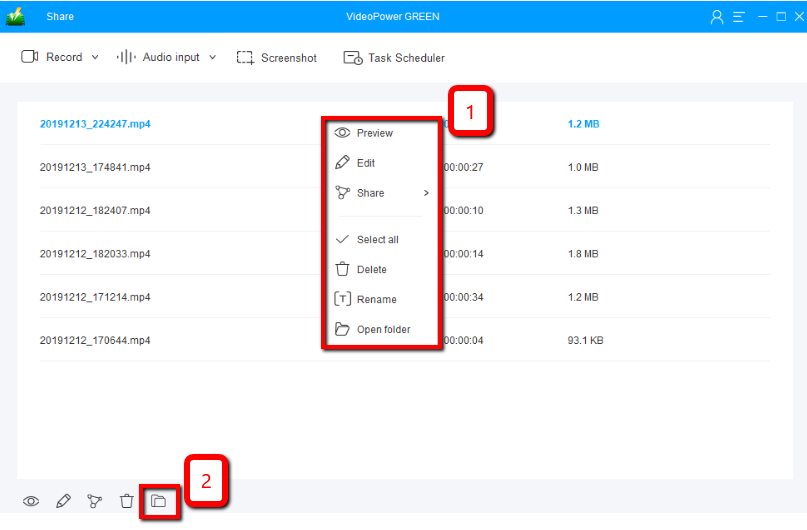
1) Your recorded file can be seen in the main interface. You can right-click the file and do more operations if you like.
2) Click the folder icon to view it in the pointed output folder.
Conclusion:
Online videos and movies are sometimes peoples’ comfort zones. They feel at ease, joy, accompanied and sometimes safe when they have something they feel they can lean on. But this would be a problem in the absence of an internet connection. A screen recording tool would be the best solution for it.
VideoPower GREEN, an easy to access and trusted recording application software with a screen recording feature that is best in capturing computer activities that will help users worry less and relax more.
This product isn’t only best in recording and screen recording but it also offers its excellent editing feature that enhances video files and also a task scheduler for convenient use.


