





Tips Index
MTS (MPEG Transport Stream) is a container file format used for multiplexing audio, video and other streams, used for high definition video on Blu-ray Disc and AVCHD.
Most of the people who like to travel have a camera. If you have a Panasonic or Sony camera, you probably know what MTS is. It is the default output format of video cameras. The resolution of videos captured by this camera can reach 1080P high-definition. On the other hand, the downsized is that it’s hard to find a compatible video player for MTS format files as well as in editing.
There are many video converters available on the internet but there is always a risk of malware from them. VideoPower BLUE is the most recommended
VideoPower BLUE is a tool that allows you to convert MTS to MP4 files.
You can try to use the software for free by downloading its trial version below.
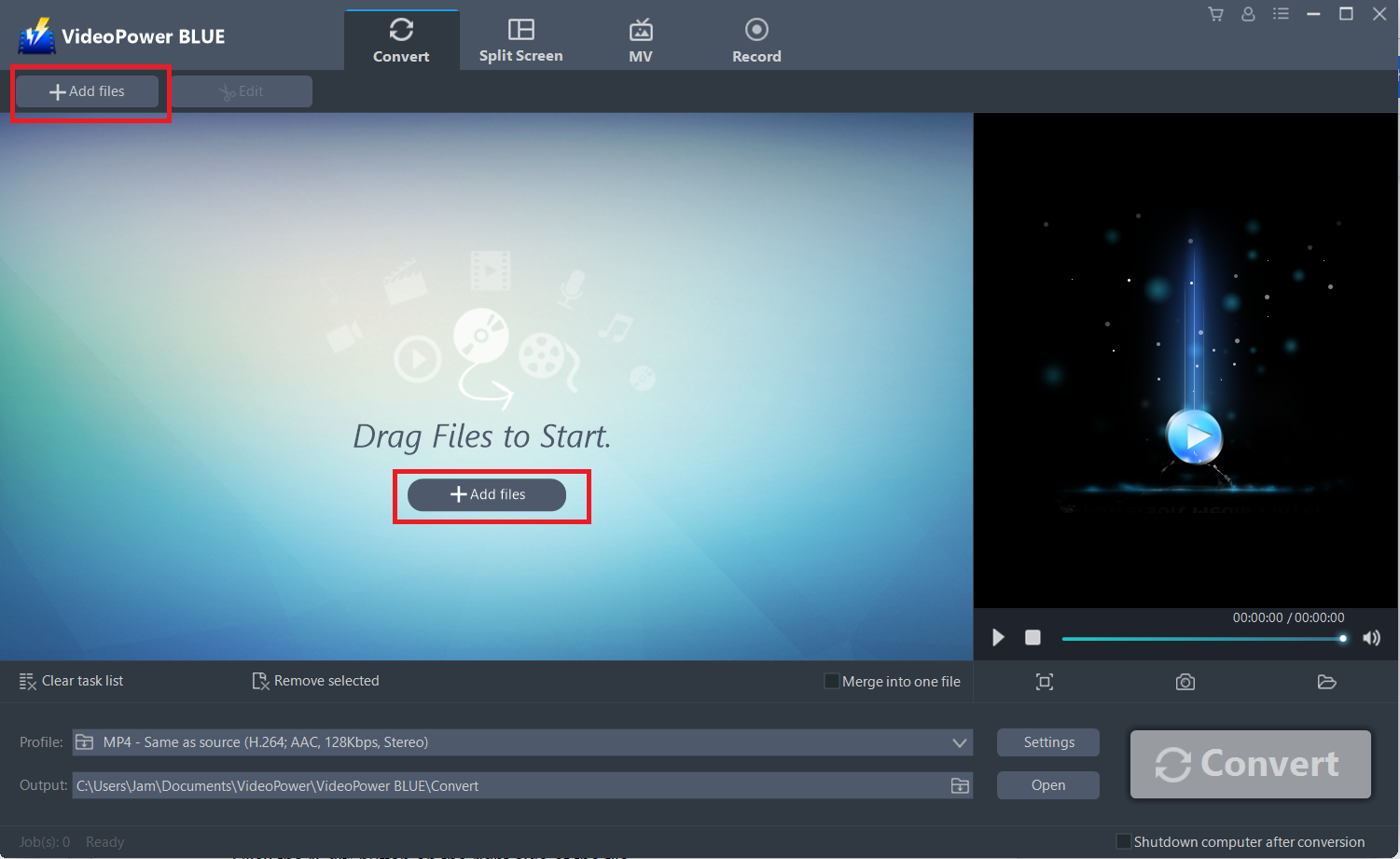
Step 1: Add the MTS file to the program.
Launch VideoPower BLUE if you have installed it successfully on your PC. You can import the MTS file by clicking “Add files” button or by dragging and dropping the file to the interface directly.
Step 2: Edit the MTS video.
If you need to edit the video before converting, just follow the instructions below.
You can directly import the MTS files to the program for conversion.
Click the “Add files” button or drag and drop files from the local drive.
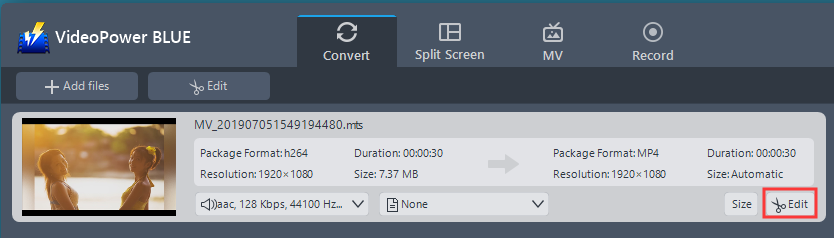
The built-in video editor will pop up, with its help, you can make the perfect movie. Adjust speed and volume, trim, cut, crop, rotate or flip videos. Add effects, subtitles, and watermarks while adjusting brightness, contrast, and saturation that will make editing conveniently easier.
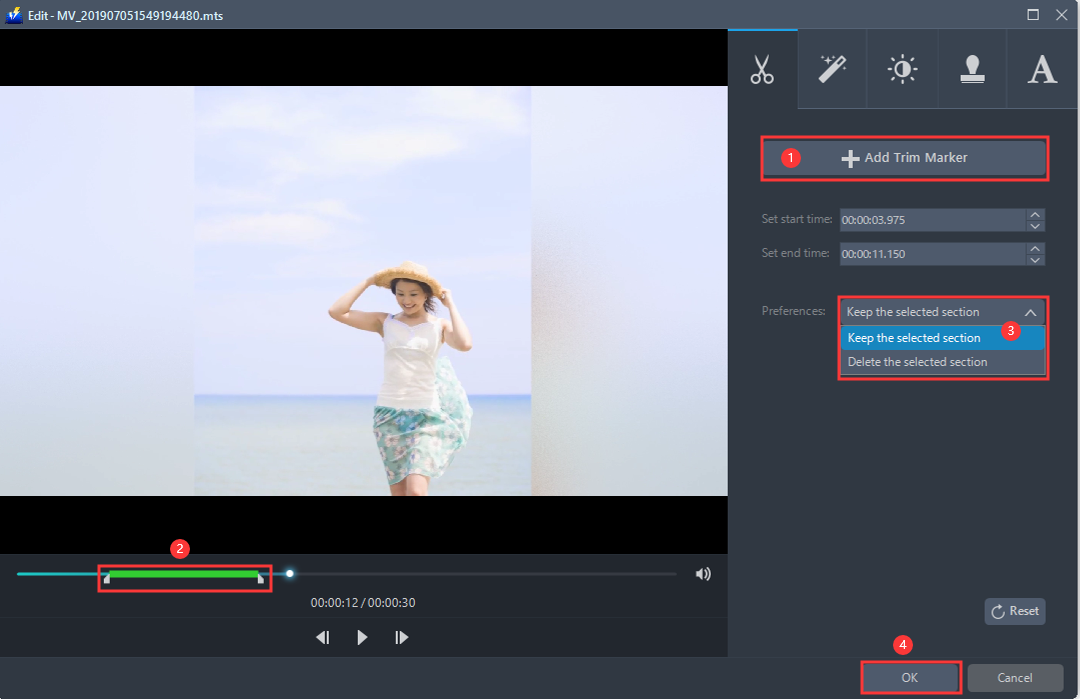
For example, you can trim your video as shown below:
1 ) Click “Add Trim Marker”.
2 ) Drag the mark as shown below to select the part you want to cut. If you want to select multi-sections, please repeat 1 and 2.
3 ) Choose “Keep the selected section” or “Delete the selected section” from “Preferences”.
4 ) Click “OK” to save the setting.
Step 3: Convert MTS to MP4 format.
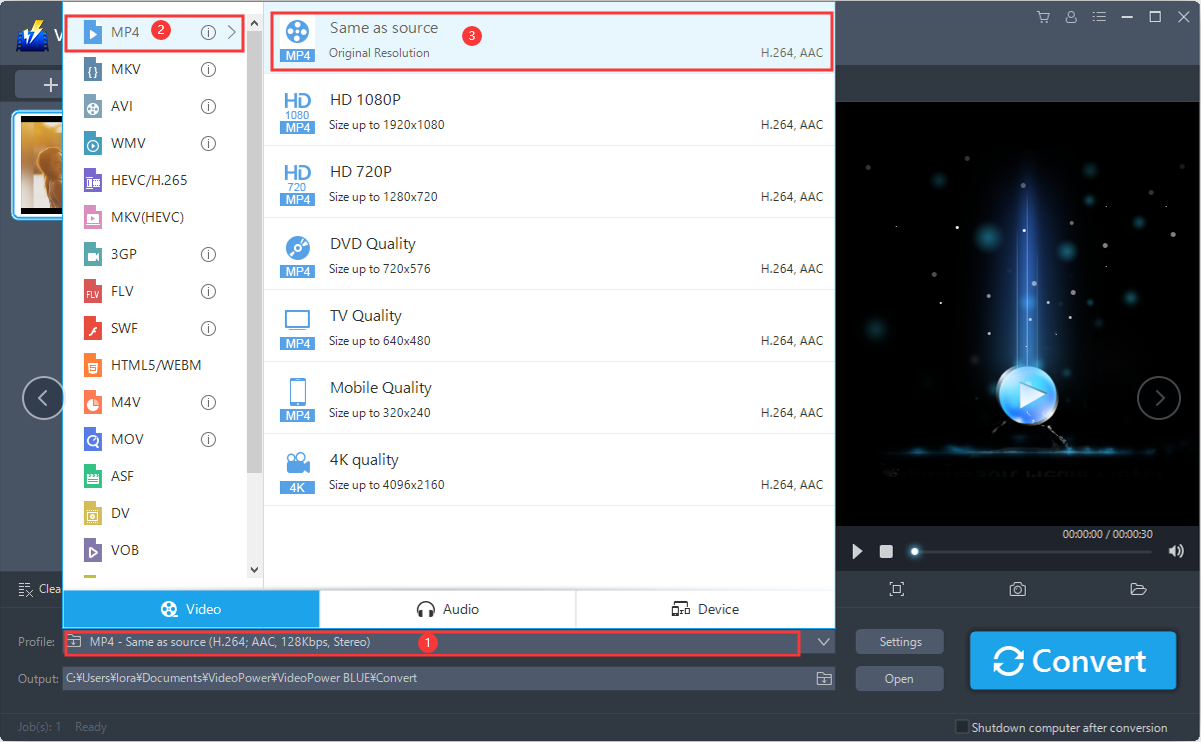
3.1 Set the output format.
1 ) Set the output format by clicking “Profile” from the drop-down menu, then choose the format you want from the list.
2 ) In converting MTS to MP4, choose “Video”, then “MP4”.
3 ) You can set the quality depending on your preference.
3.2 Start Conversion.
Return to the file list.
Click the “Convert” button, then the converted MP4 file will be saved in the default output folder.
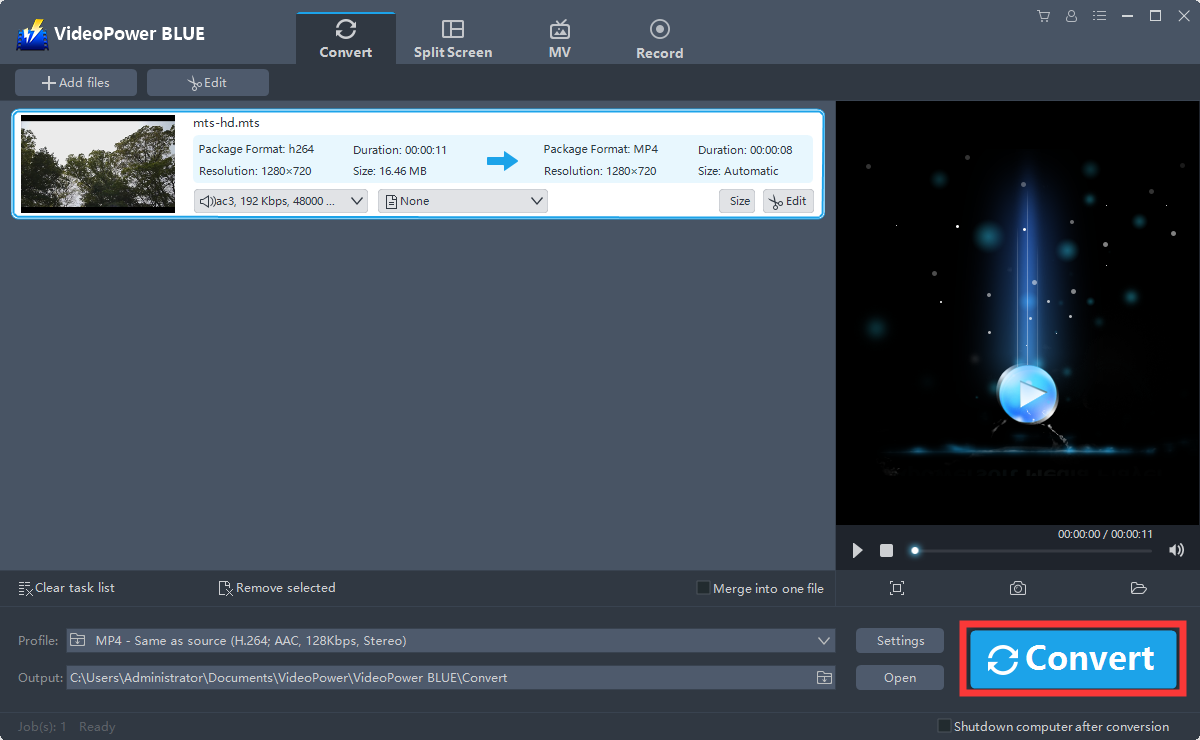
3.3 Find the Converted MP4 files
A pop-up window from the program will appear informing you that the conversion is complete.
Click “OK” to open the folder of your saved converted MP4 files.

Or you can click the “Open” button to find the MP4 video.

Conclusion:
VideoPower BLUE allows converting MTS to MP4 and the other 1000 formats are supported by this software that facilitates video and audio conversion. Additional features include screen recording, video editing, DVD burning, fast conversion, batch processing, merging multiple files in one and a lot more.


