





Tips Index
What is 3GP format?
3GP is a video encoding format of 3G streaming media, which enables users to send a large amount of data to the mobile phone network. 3GP is a simplified version of MP4 format with the purpose to save on disk space, bandwidth, and data usage, which is why they’re often used on mobile devices.
Advantages and disadvantages
The 3GP video file is the standard format on mobile devices, starting with 3G or higher. Its advantages are small file size, strong mobility, and suitable for mobile devices. The disadvantage is poor compatibility on PC, few supporting software, low resolution, and low frame rate.
How to open 3GP file?
The 3GP file is a video file that is adapted to the mobile phone. It is small in size and mainly played on the mobile phone. Of course, To open 3GP files on PC or other devices, aside from 3G mobile phones or higher, it should have VLC Media Player and QuickTime. Some players may have a problem playing 3GP video files because of compatibility.
Solution for 3GP format conversion
If you want to play a video in 3GP format on your computer, you can convert it into a common video format like MP4 using VideoPower BLUE, a powerful Format Converter.
A reliable converter is what you want when you convert 3GP video files and you have come to the right place. This will guide you on how to use this software to perform format conversion.
Download and install the program on your PC with the link below to start the conversion.
Step 1: Add the 3GP file to the program
Run the program if you have installed the Video Converter software.
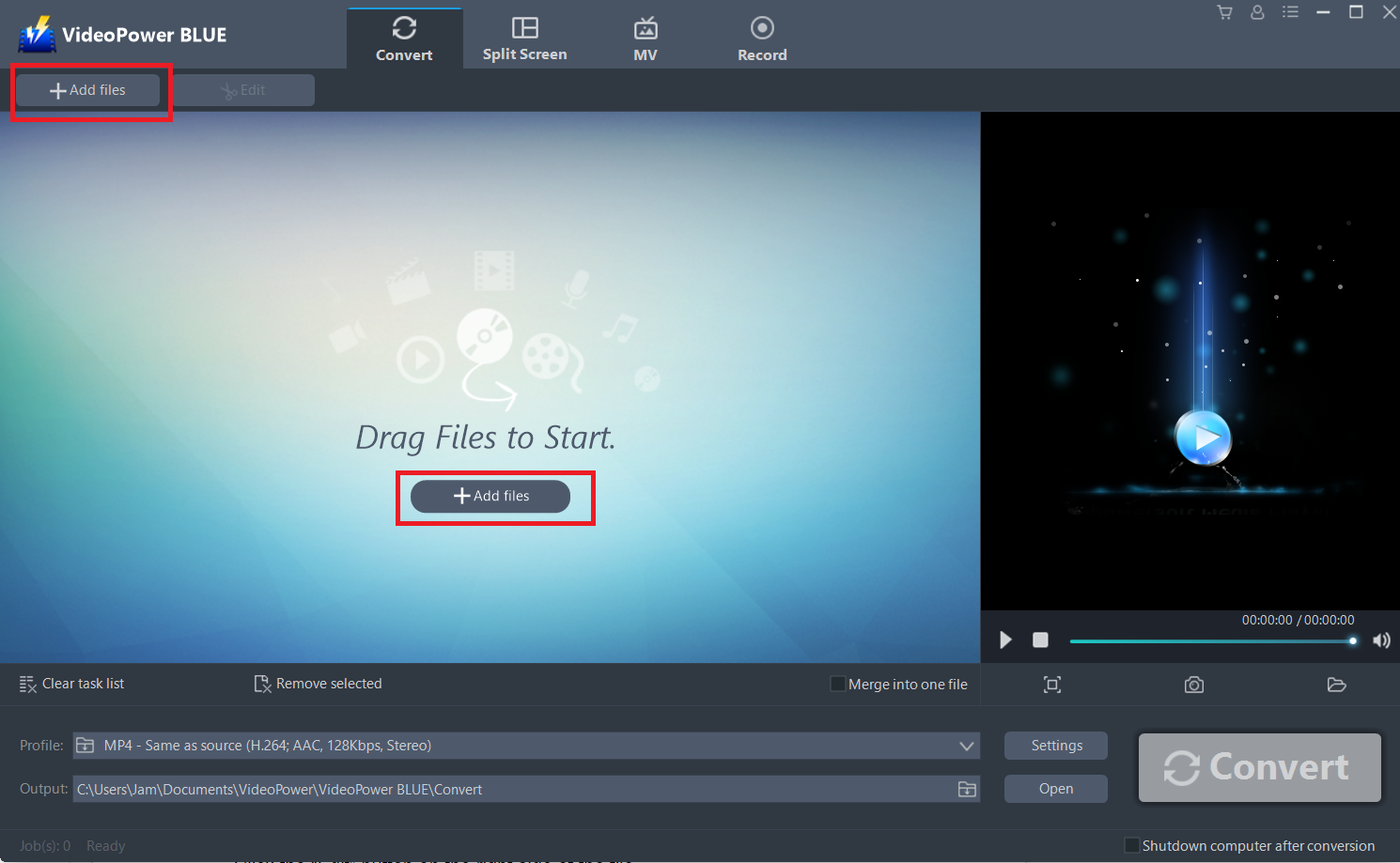
Open the “Convert” tab on the main interface and import your 3GP files into the program that you want to convert. Click the “Add files” button to select files from your PC, or directly drag-and-drop the 3GP files to the interface.
Step 2: Edit the Video
If you need to trim your video, you can use the edit function provided by the software. Do the following steps to edit your video file.
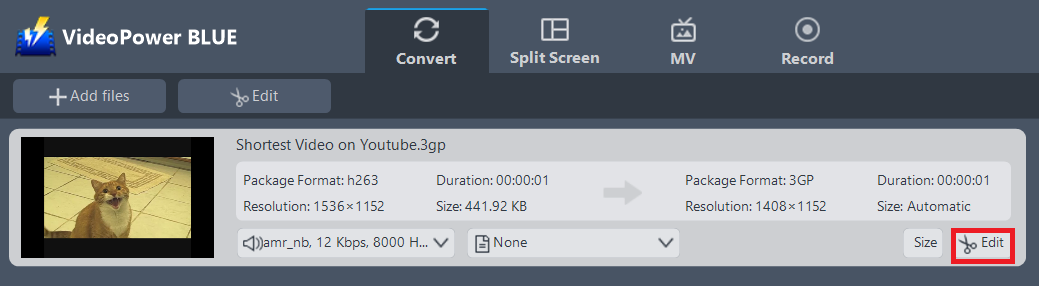
The imported 3GP file is displayed in the list.
Click the “Edit” button on the right side of the file.
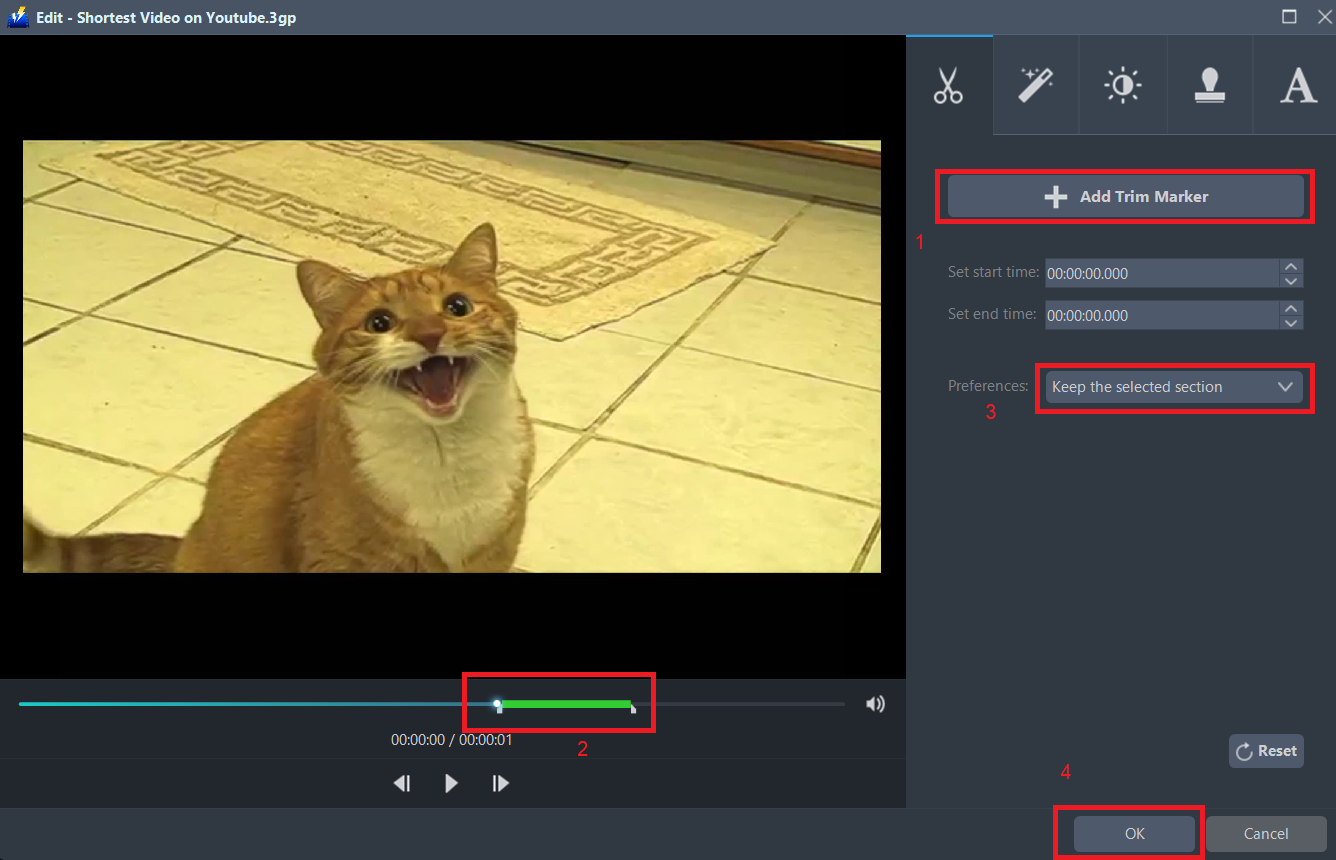
The built-in video editor will pop up, with its help, you can make the perfect movie. Adjust speed and volume, trim, cut, crop, rotate or flip videos. Add effects, subtitles, and watermark while adjusting brightness, contrast and saturation that will make editing conveniently easier.
For example, you can trim your video as shown below:
1 ) Click “Add Trim Marker”.
2 ) Drag the mark as shown below to select the part you want to cut. If you want to select multi-sections, please repeat 1 and 2.
3 ) Choose “Keep the selected section” or “Delete the selected section” from “Preferences”.
4 ) Click “OK” to save the setting.
Step 3: Convert 3GP to MP4 format.
3.1 Set the output format.
1 ) Click to open the “Profile” drop-down menu, then choose the format you want from the profile list.
2 ) Here choose “Video”, “MP4”.
3 ) Select quality “Same as source” or other options like “HD”, “4K quality” as per your need.
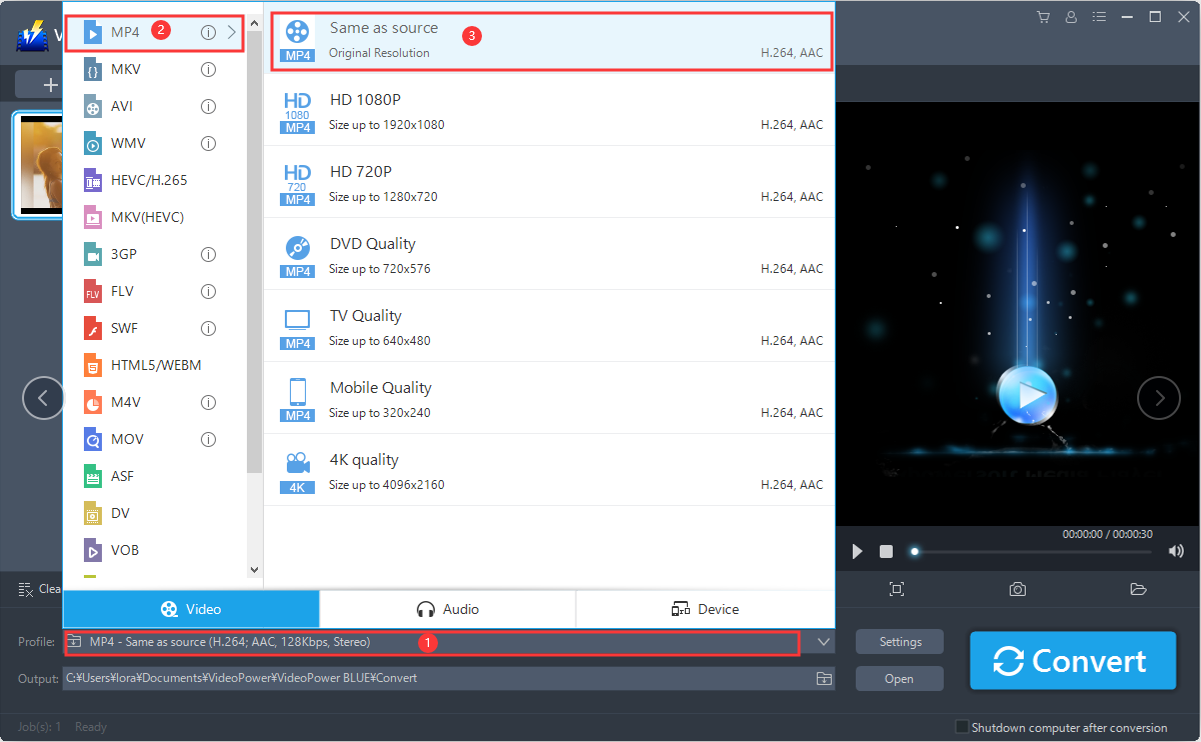
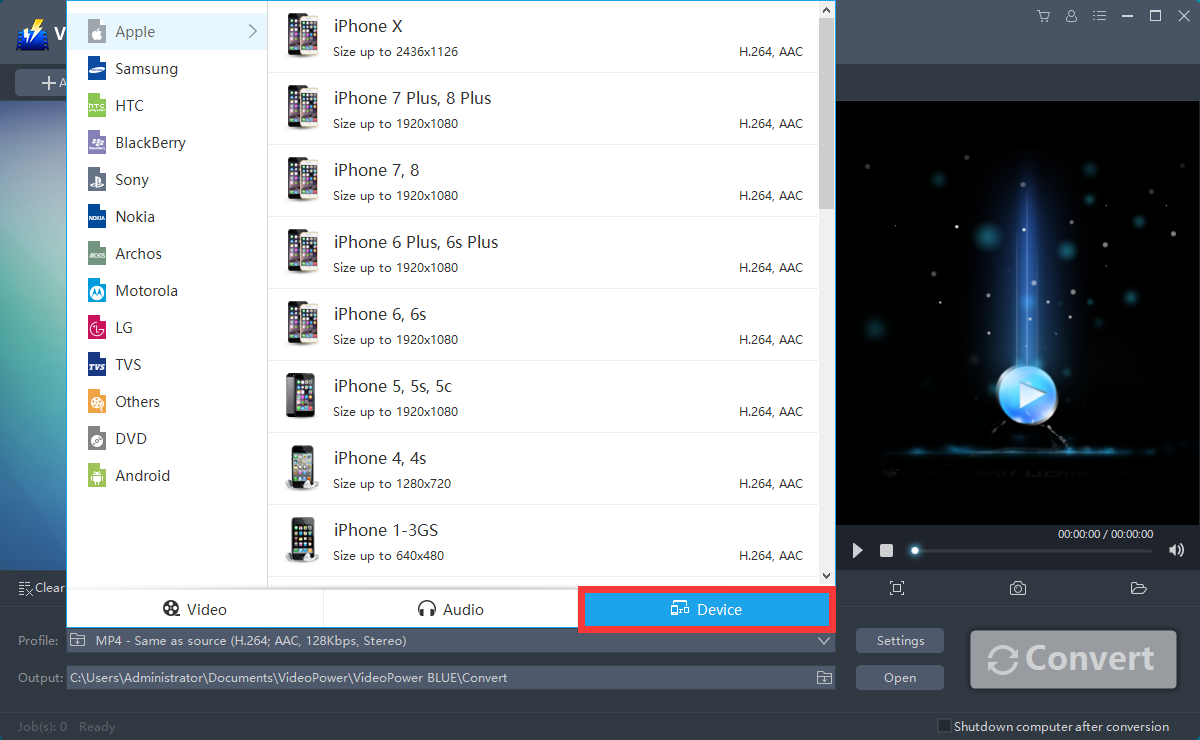
If you want to convert 3GP file to your mobile device compatible format, you can click the “Device” tab and choose your device from the list.
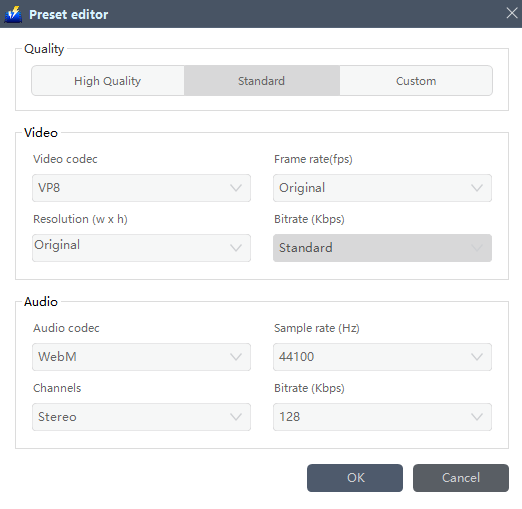
You can also customize frame rate, bitrate, codec, etc. manually. Just click the “Settings” button to enter the “Preset Editor” window, then you can change the value and click “OK” to save the settings when you’re good to go.
3.2 Start Conversion.
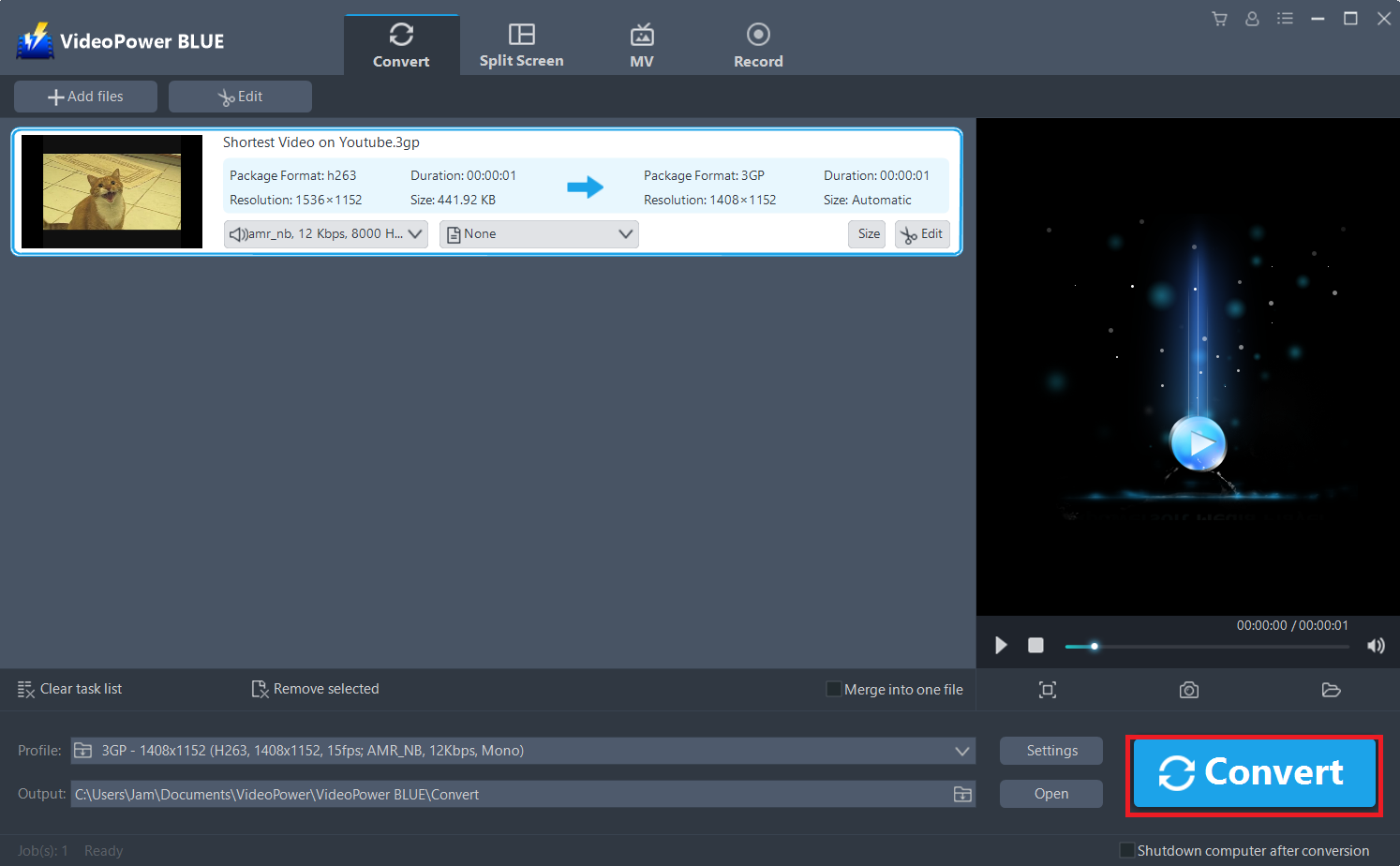
Return to the file list.
Click the “Convert” button, then the converted MP4 file will be saved in the default output folder.
3.3 Find the Converted MP4 files
A pop-up window from the program will appear informing you that the conversion is complete.
Click “OK” to open the folder of your saved converted MP4 files.
Or you can click the “Open” button to find the MP4 video.

Conclusion:
MP4 is hailed as the king of all multimedia formats due to small size and great quality, so it is indeed a great decision to convert your 3GP files to MP4. To ensure the quality and speed in conversion, VideoPower BLUE is the best for you.
It is quite simple to use with an easy-to-understand interface with a conversion speed that is very high. One of its most highlighted features is it supports nearly all types of video/audio files to be converted here. Batch conversion, basic video editing, and quality modification are available on it.


