





Tips Index
Movie Maker is a video editing software attached to the Windows operating system. The function is relatively simple, it can combine lens, sound, add special effects of lens switching, etc.
With Windows Movie Maker, you can easily turn a bunch of home videos and photos into touching home movies or commercial advertisements. Crop the video, add soundtracks and photos, and then add themes in just a few clicks so that you can add matching transitions and titles to your movie.
The movies you make look so professional that it’s hard to believe that the software is free.
However, this software only outputs video in WMV format. If you want to convert it to an MP4 format file, you have come to the right place.
Here we will guide you on how to convert Movie Maker movie file to MP4 using VideoPower BLUE.
VideoPower BLUE is a multi-faceted software that has a lot of functions. These functions include recording screen activity, basic video, and audio editing, and file conversions.
Due to its wide array of formats to choose from, it is the best converter out there. This software can convert the Movie Maker file in WMV to MP4.
You can try to use the software for free by downloading its trial version below.
Step 1: Add the Movie Maker file to convert to MP4
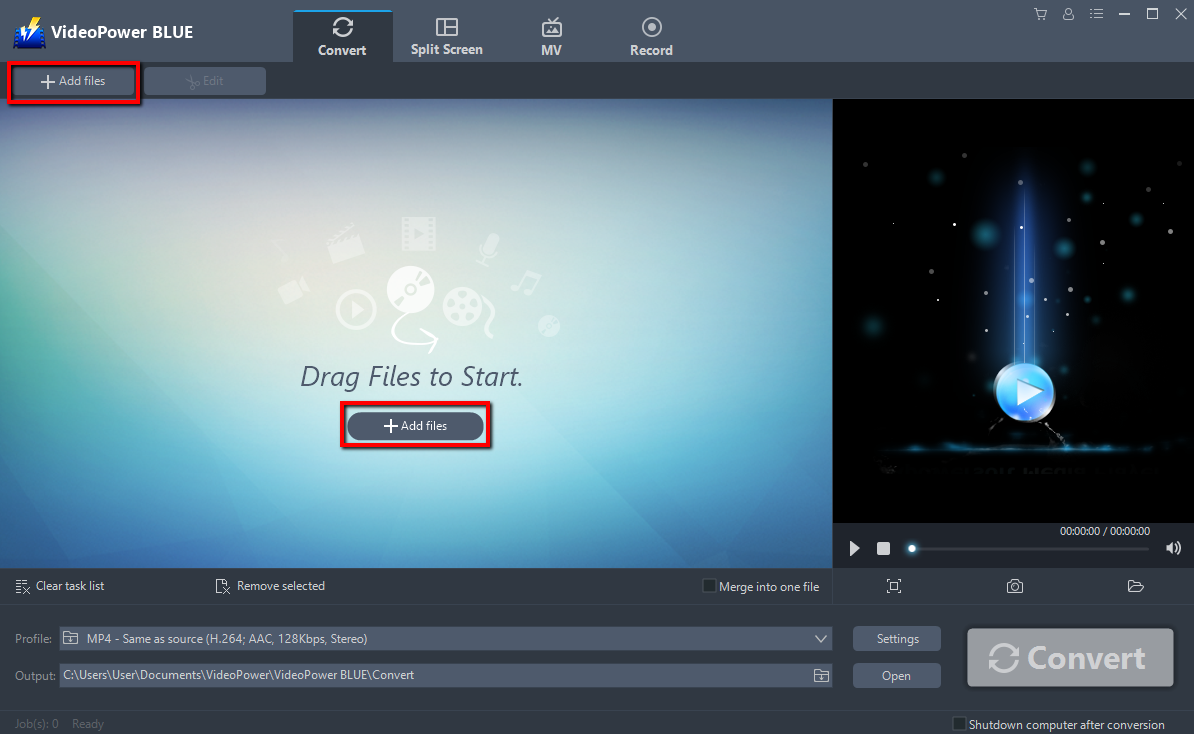
Run VideoPower BLUE if you have installed it successfully on your PC. Add your file into the program that you want to convert. The program supports multiple tasks. Click the “Add files” button to select one or more files from your PC, or directly drag-and-drop the selected files to the interface.
Step 2: Edit the Movie Maker file before conversion
If you want to edit the file first before converting it to mp4, just follow the instructions below.
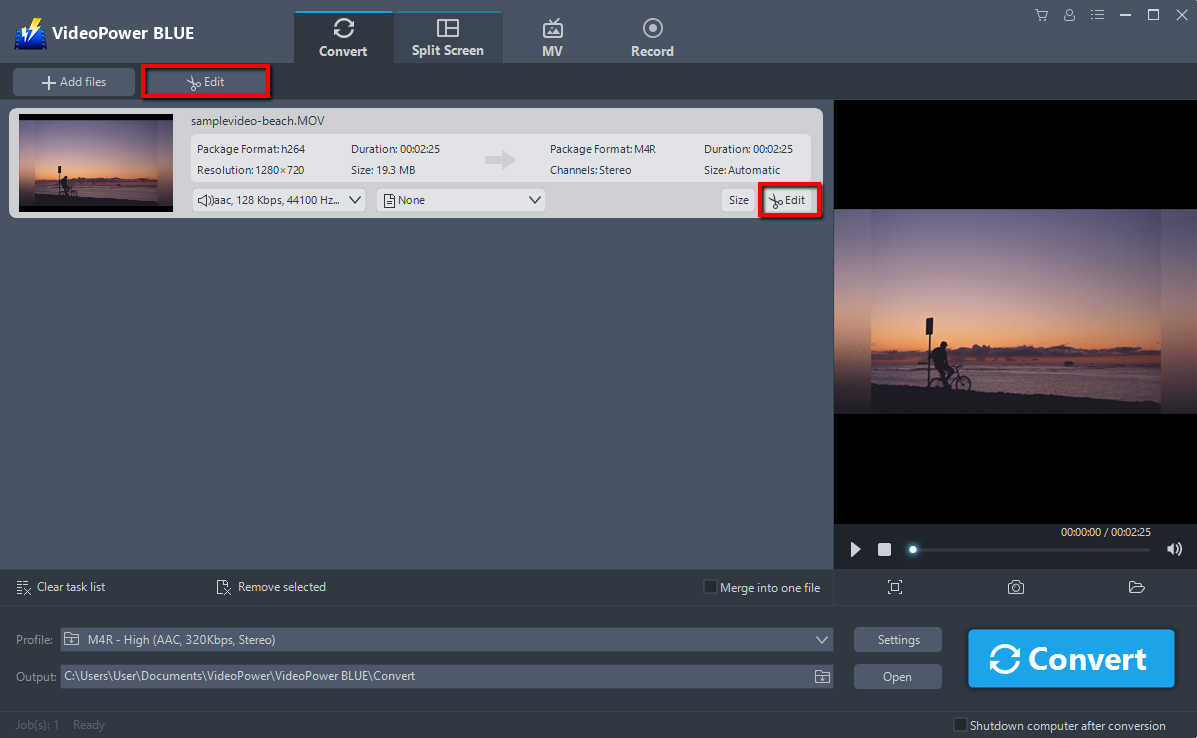
Click the “Edit” button at the right side of the added Movie Maker file to enter the Edit window so you can design your Movie Maker movie file now.
Step 3: Convert Movie Maker video to MP4 format
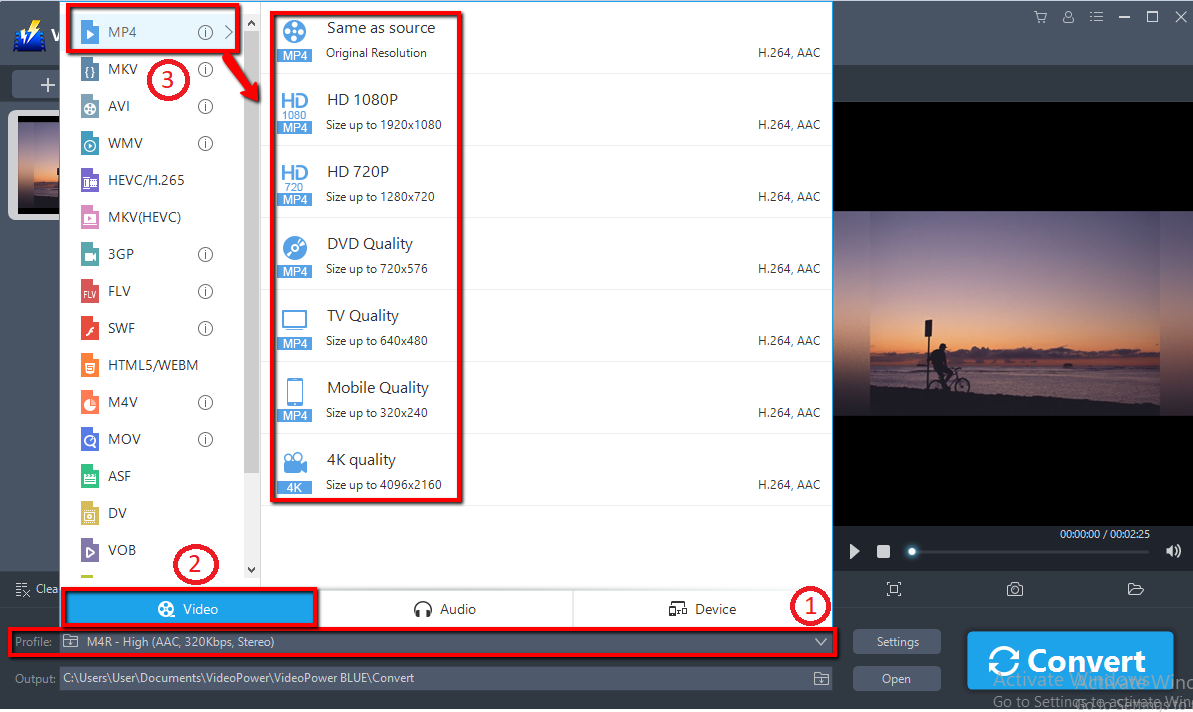
1) Click the “Profile” bar.
2) Choose “Video”.
3) Set the format to “MP4 – Same as source, HD 1080, HD 720, DVD Quality, TV Quality, Mobile Quality, or 4K Quality”
Note: even if the default is MP4, you can set your video quality the way you want.
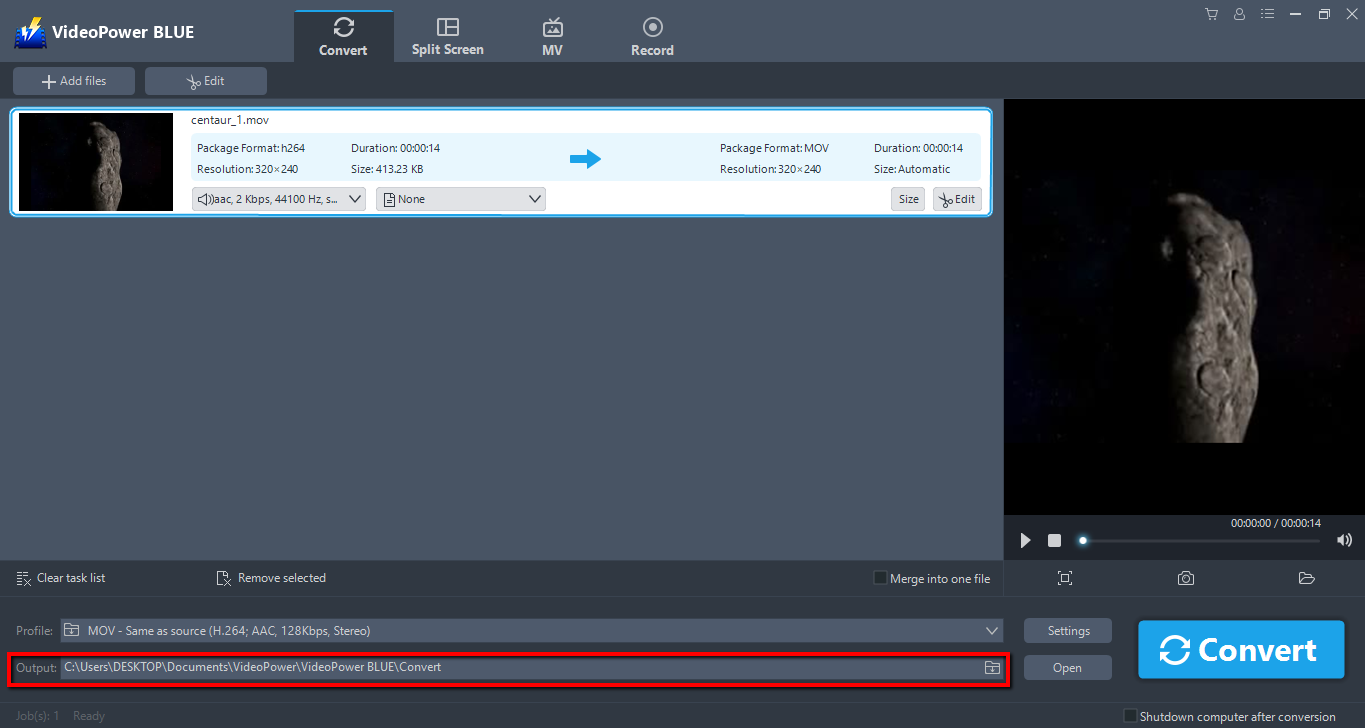
Choose a storage location to save the converted files. Click the “Output” icon and select the destination wherever you want to store the file.
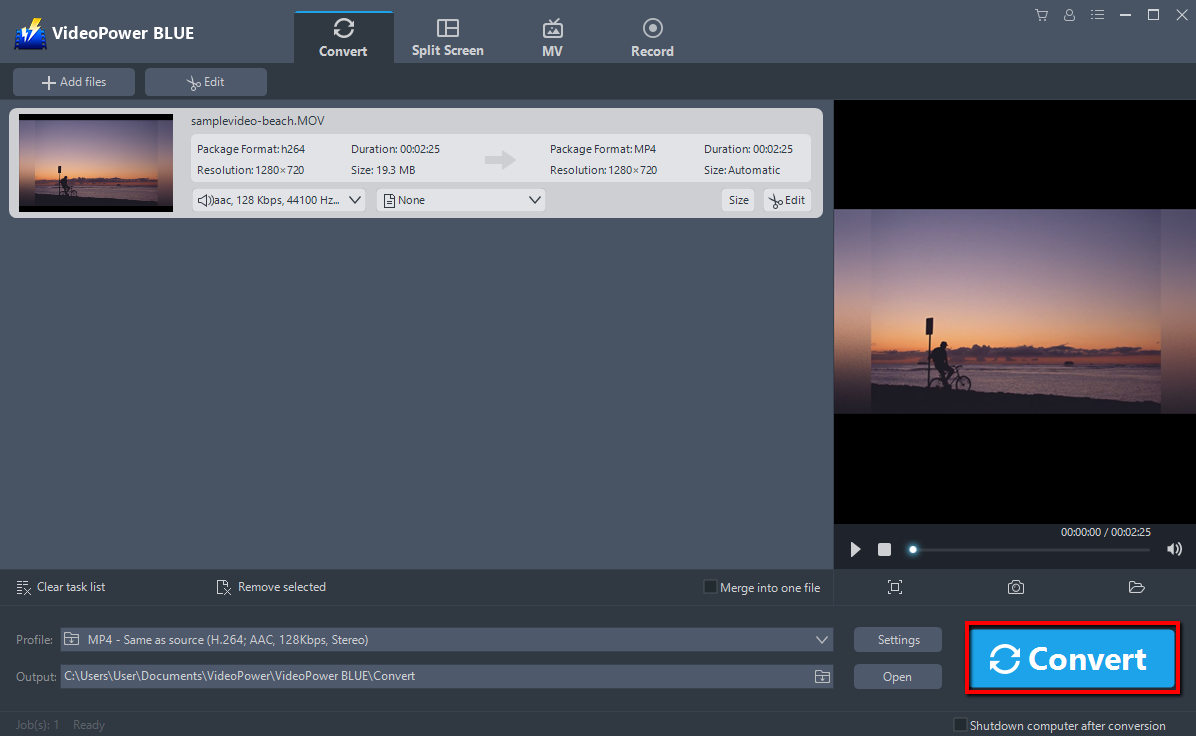
After setting the output location, click the “Convert” button, then the software will start to convert and save the edited video in MP4 format.
The program will pop up a window to inform you once the conversion is completed. Click “OK” to open the folder of your saved converted MP4 files.

Conclusion:
Whether you want to convert Movie Maker files to MP4 video file for personal or professional use, VideoPower BLUE is definitely perfect for you. This software is a multi-faceted software that is a simple, easy-to-use and straightforward interface. These functions are built-in video editor that will enable you to edit slideshows or videos, apply watermarks, effects, and other basic video editing options such as trimming or cropping. Moreover, it has a split-screen tool for your photos and videos and a screen recorder which allows you to capture any on-screen activity on your computer.


