





Tips Index
“I downloaded a video from the Internet and I want to change the audio using my microphone sound. Is this possible?”
It’s quite easy to achieve this. There are two things needs to be done here. Record the microphone sound (your voice) and replace the original audio in the video with your recorded audio.
If you have already a recorded file of your voice, then you just need a video editing tool to help you change the audio track of your video.
VideoPower BLUE is a very useful software that has a lot of features including screen recording, conversion, and basic video editing where you can replace audio of a video.
Download the software from the below link to have a free trial.
You can try to use the software for free by downloading its trial version below.
Step 1: Add the video file to the program.
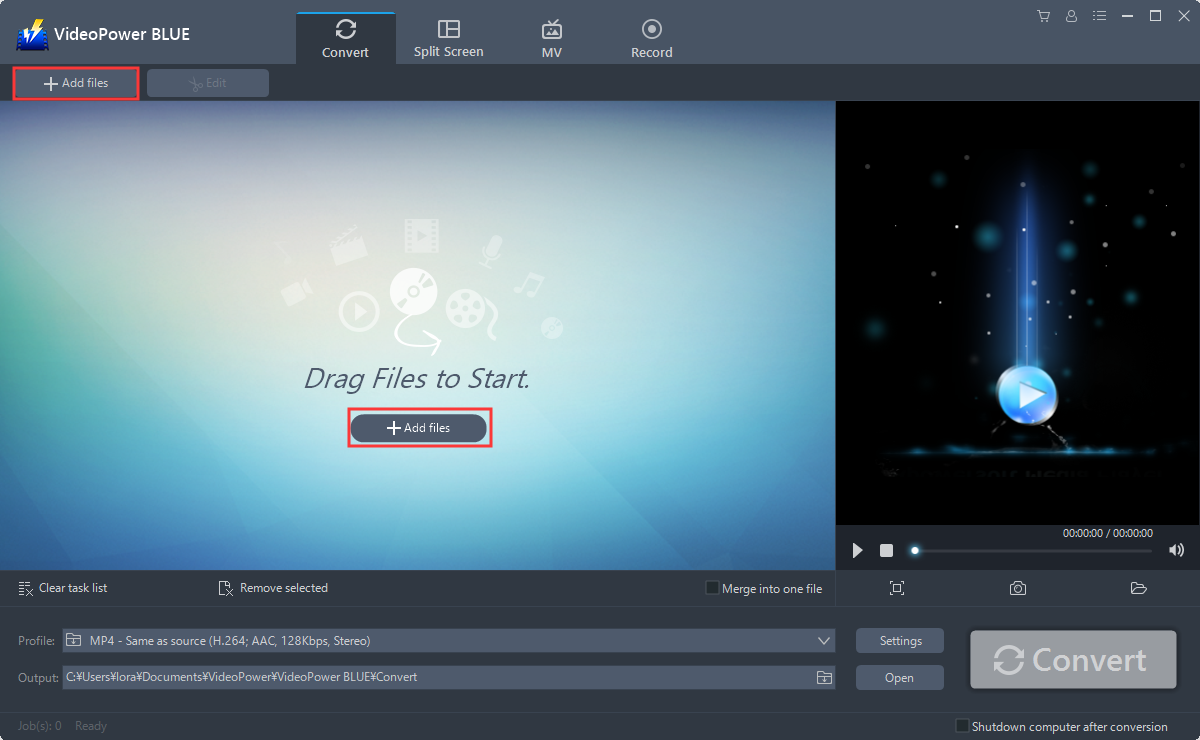
Run the program if you have installed the video converter software – VideoPower BLUE successfully on your PC. You can directly import the file to the program by clicking the “Add files” button or by drag-and-drop the file to the interface.
Step 2: Edit file before conversion
If you need to edit the file before conversion, follow the instructions below.
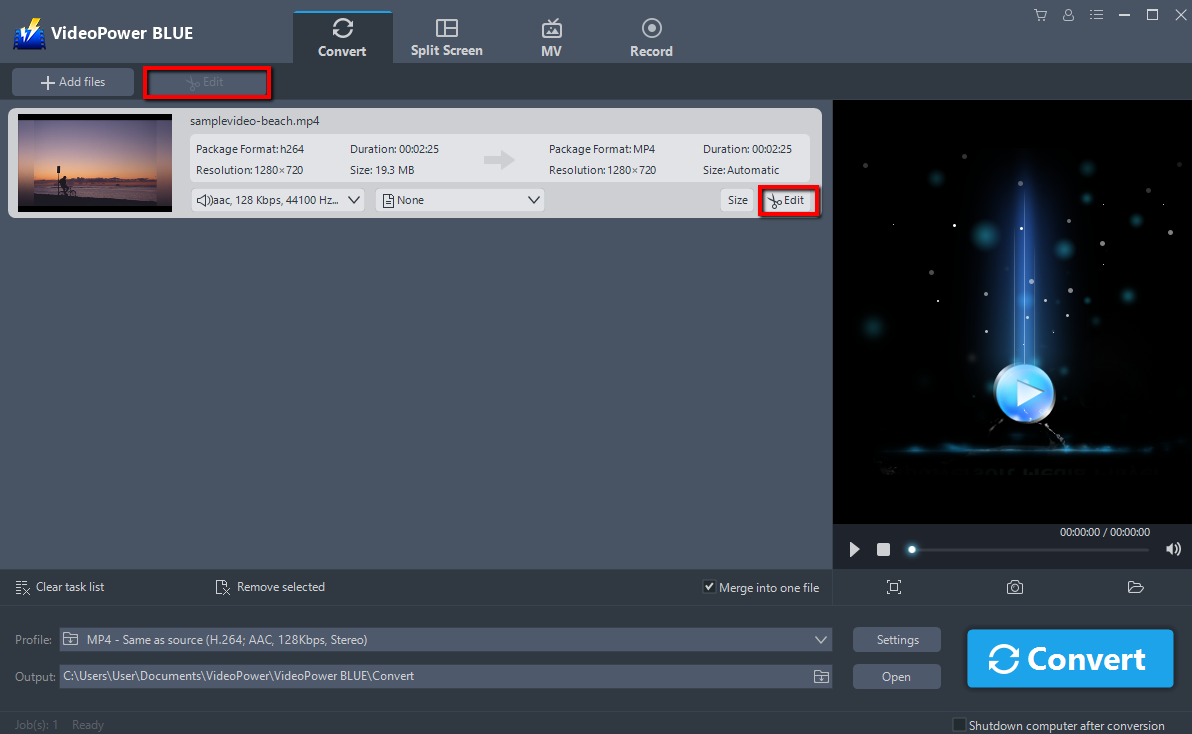
The imported file is displayed in the list.
Click the “Edit” button on the right side of the file.
Step 3: Change the audio of the video.
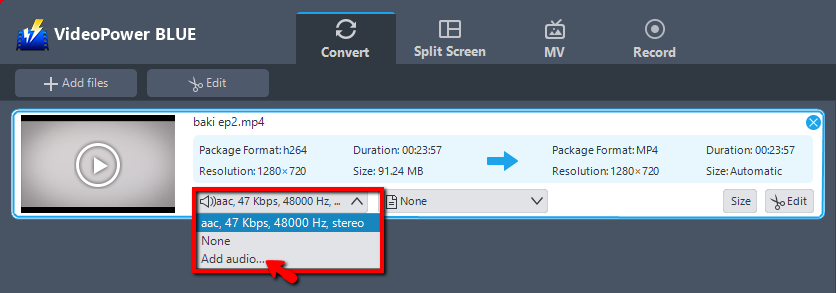
Under the video file’s name, there is a sound source button. Click it and you will see three options: the original audio, None, and Add audio. Select “Add audio”.
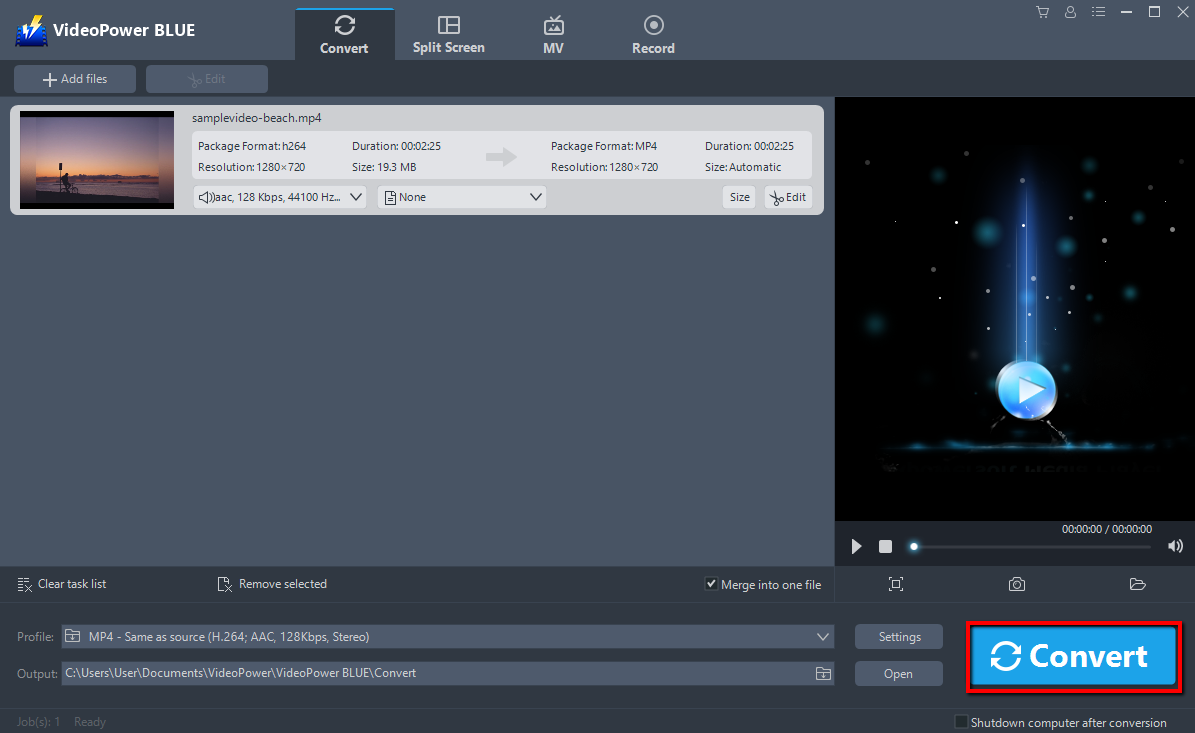
A window will pop up where you can find your recorded audio file and load it to the program. After that, click the big blue “Convert” button to start converting.
3.1 Open Saved Folder.
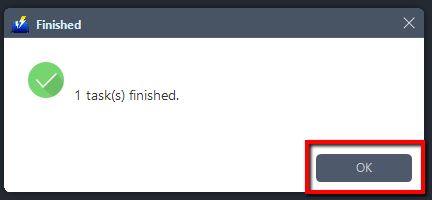
A pop-up window from the program will appear informing you that the conversion is complete. Preview the converted file and check if the audio track is replaced or not.
Conclusion:
VideoPower BLUE software can convert all video and audio files into common formats and devices easily. It’s a fast and reliable converter where you can convert in batches simultaneously. It’s simple, easy-to-use and straightforward interface and ultra-fast file conversion whilst preserving video quality is an advantage compared to other converters.
VideoPower BLUE, a powerful converter that supports any video formats with video editing function, enables adding subtitles, apply watermarks, make MV and split-screen videos. More importantly, it can record screen activity in many different ways, offline and online.


