





Tips Index
Facebook is indeed the most popular social media site with billions and increasingly growing active users every day. This is where they share their daily life activities like doing new things, funny things, being on special occasions, etc. through taking a photo or video of these things to upload online.
Facebook is also a social networking site that makes connecting and sharing with family members and friends who’s away become easy and convenient.
Chatting and calling with friends, family members, and even with other people can be done on the Facebook messenger. Users can call, send text, voice mails, photos, videos, links, and emojis to someone without any hassle.
Spending time chatting with someone using this site is fun and amusing, but downloading audio you desired from it is impossible as Facebook doesn’t offer an audio downloader tool. However, this matter will become possible with the use of a third-party tool.
Therefore, VideoPower YELLOW, an amazing, hassle-free and trusted audio recorder application software with various professional features was made. This app is best suited for downloading audio from Facebook.
Steps:
1. Before recording, you can choose your “audio source” to “System Sound, Microphone, or System Sound and Microphone”.

2. Click the start recording button at the bottom left of the screen while playing the Facebook audio.

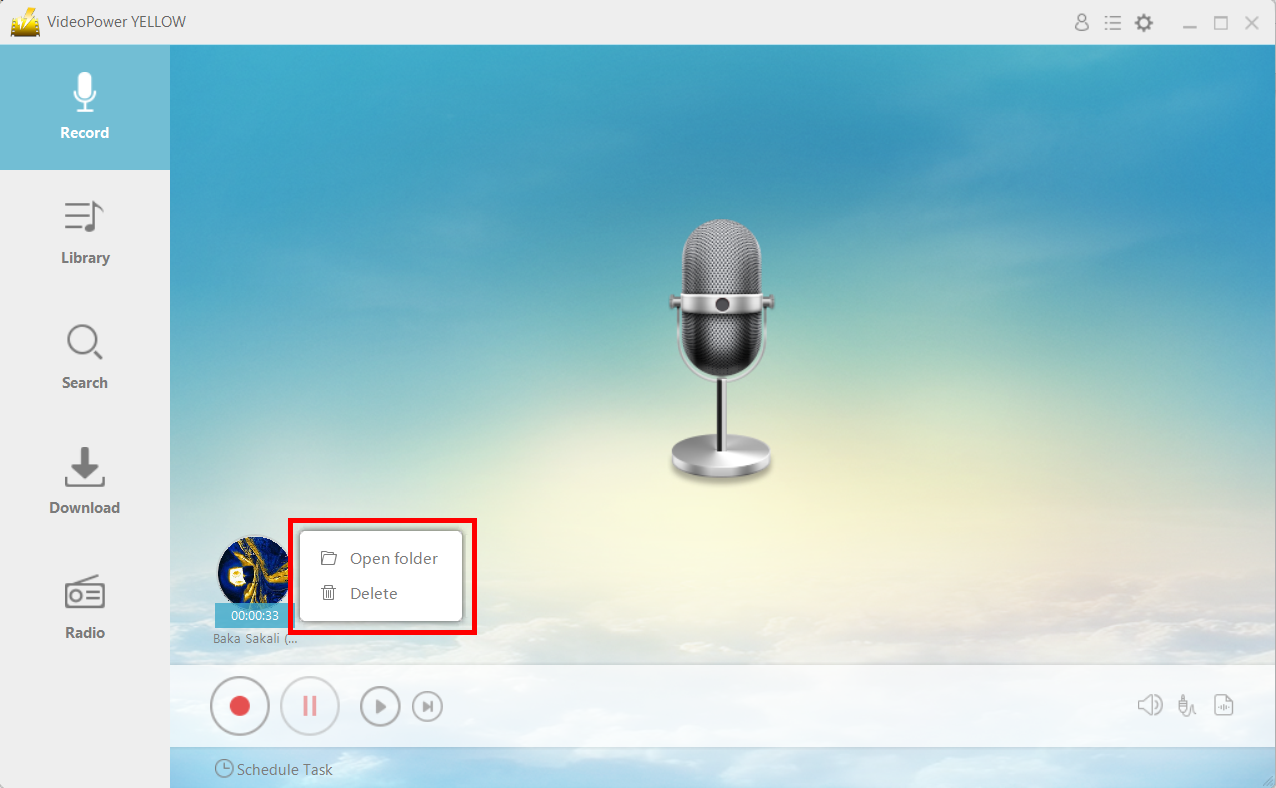
3. After recording right-clicks the recorded track icon and clicks “Open folder” to open the storage location of the recorded audio file.
Conclusion:
Despite having countless audio sources online, there are audios from Facebook specifically from the messenger that users chose to listen to and download for offline use. Listening to an audio file offline is highly preferable for most of the users who usually cannot go online.
VideoPower YELLOW is best suited for this kind of matter as it doesn’t only record audios but it also has different useful and professional features to help improve recorded files like converting videos to MP3 or other formats, ripping music, burning music to cd, downloading audios, task scheduler and many more.



