





Tips Index
Are you tired of those movies with credits and very long introductions? Movies are taking up a lot of space because of those credits and titles, sometimes they insert advertisement too that would make the movie a very big file and that’s kind of irritating.
A lot of people want these gone but to remove those clips you will need to cut it through a video cutting software. And as far as we all know, people tend to re-encode the file and that always results in a longer rendering time and low-quality result.
Well, you have come to the right place. Here, we introduce you to the most powerful and intuitive video cutting software called VideoPower BLUE. Cutting would surely be no problem and re-encoding will no longer be needed because this software can produce the same exact quality and much higher quality as per your needs.
Step 1: Add the video you want to trim.
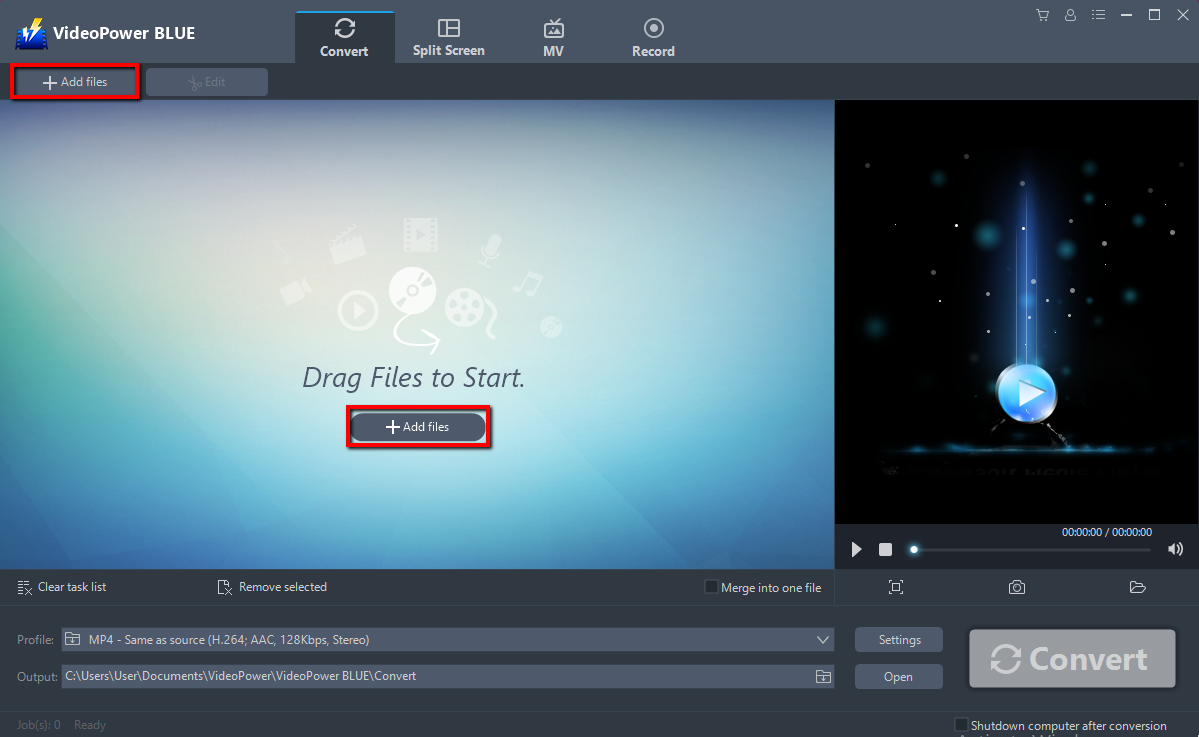
Run the program if you have installed the VideoPower BLUE successfully on your PC. You can directly import the Video to the program by clicking the “Add files” button or by drag-and-drop the file to the interface.
Step 2: Edit the video before conversion
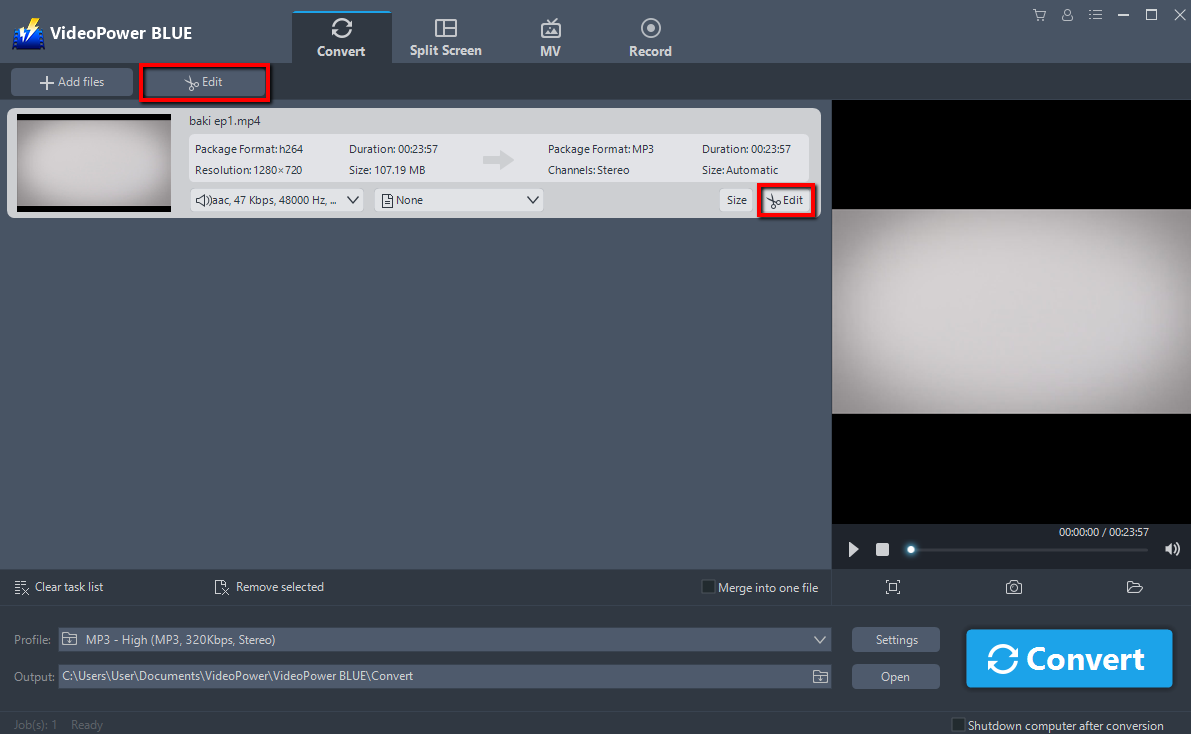
The imported file is displayed in the list.
Click the “Edit” button on the right side of the file.
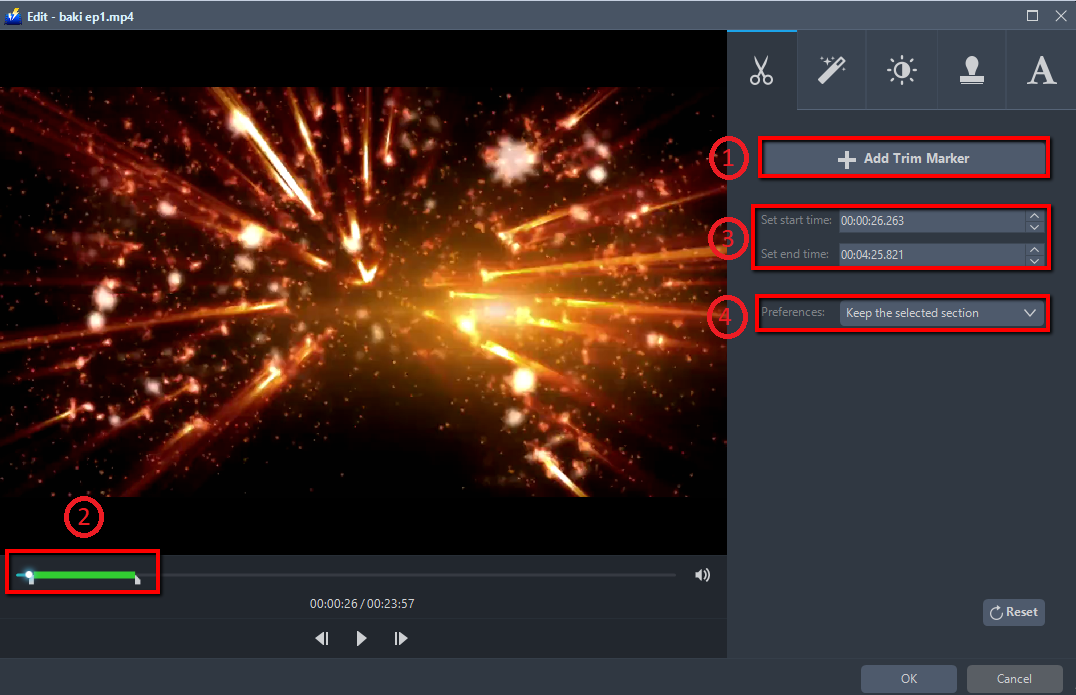
You can do the following steps to cut your video:
1) Click “Add Trim Marker” to add a trim marker to the progress bar, you can also add multiple trim markers by clicking this button multiple times.
2) Drag the slider to select the part you want to hold.
3) You can click the up or down button to set the start and end time as well.
4) Now you can choose to keep or delete the selected section. Click “OK” to save it.
Step 3: Save the edited video
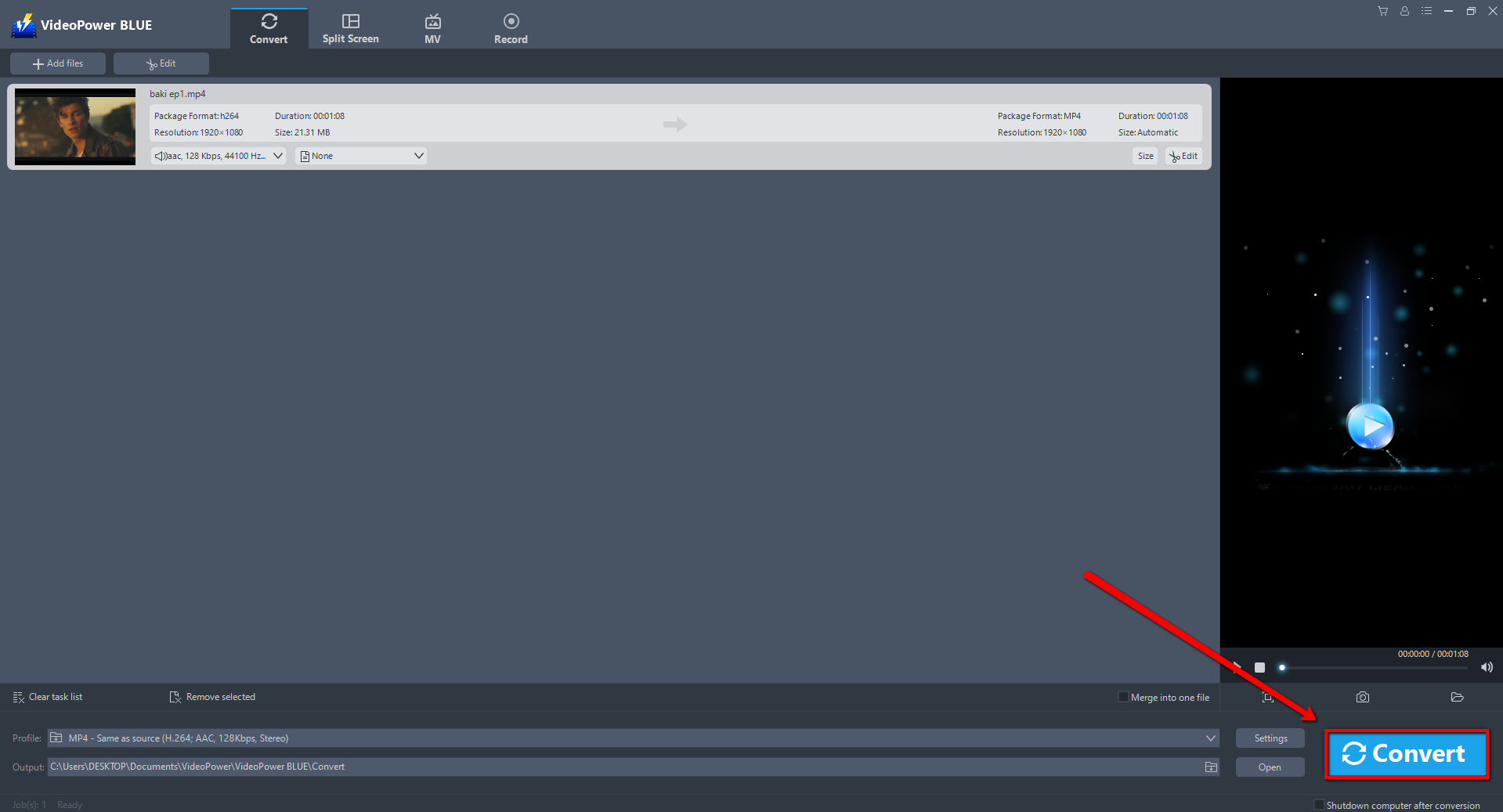
Return to the file list.
Click the “Convert” button, then the edited file will be saved in the default output folder.
Note: The edited video will be saved as a new file, and the original file still exists without anything changed.
Conclusion:
There are lots of video cutting programs out there and one thing they almost all have in common is they re-encode the file. The re-encoding process produces a lower quality of the file plus it has a longer rendering time.
VideoPower BLUE is an MP4 cutter without re-encoding and can directly export the file with preserved quality and not time-consuming.
More importantly, this software is a multi-faceted software that is a simple, easy-to-use and straightforward interface. It could convert files to various file formats, has a built-in video editor that will enable you to edit slideshows or videos, apply watermarks, effects, and other basic video editing options such as trimming or cropping. Moreover, it has a split-screen tool for your photos and videos and a screen recorder which allows you to capture any on-screen activity on your computer.


