





Tips Index
Many people understand that audio bitrate plays an important role in audio. The higher the bitrate, the larger the file, and the better the sound quality.
However, people are used to listening to music on mobile phones, tablets, and other mobile devices. In order to save space and also have better compatibility, the MP3 format has become the first choice of most people.
The MP3 files ripped from a CD, often keep the high bitrate of 256 kbps or 320 kbps, which means large file size. If you want to transfer them to your portable device like iPod, Android phone, or MP3 player, they will occupy lots of memory.
In this case, it’s not bad to convert the MP3 bitrate. Make it a bit lower bitrate which can reduce the size of the file.
I suggest using VideoPower BLUE , a great program that has a lot of features. Besides screen capture, recording and video editing, it is capable of converting MP3 bitrate in a minute.
You can try to use the software for free by downloading its trial version below.
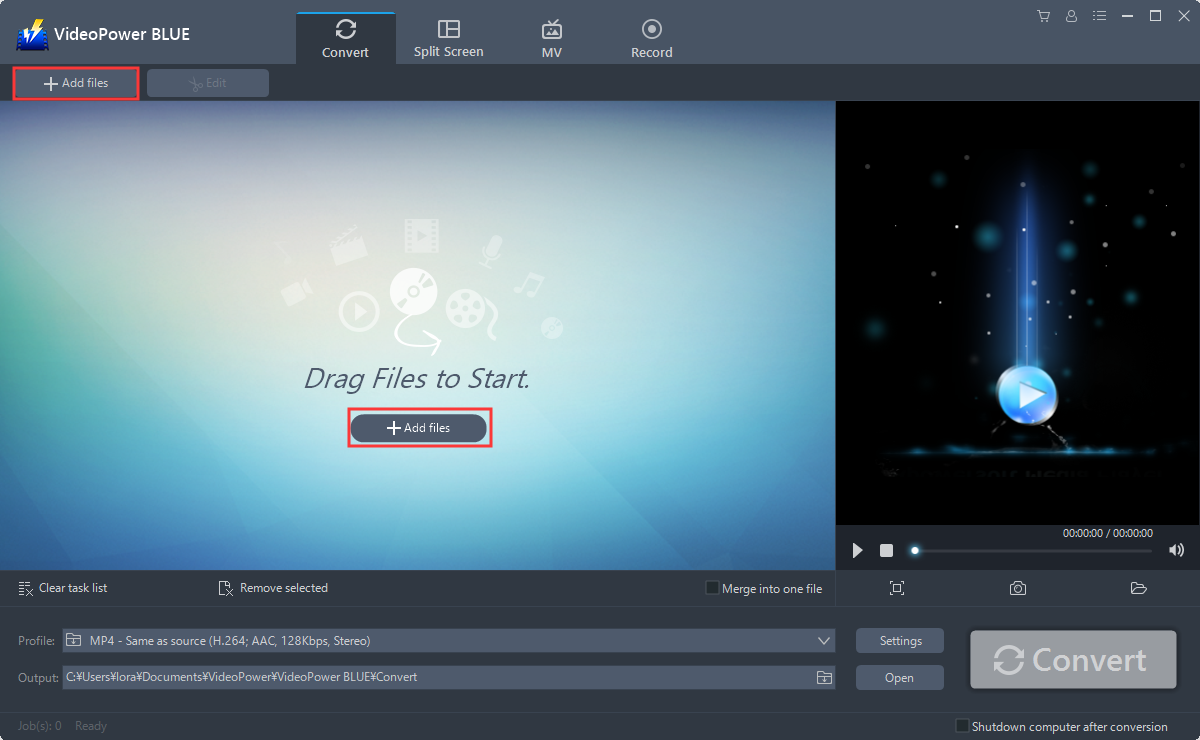
Step 1: Add files to VideoPower BLUE
You can directly import the video file to the program by clicking the “Add files” button or by drag-and-drop the file to the interface.
Step 2: Compress MP3 bitrate
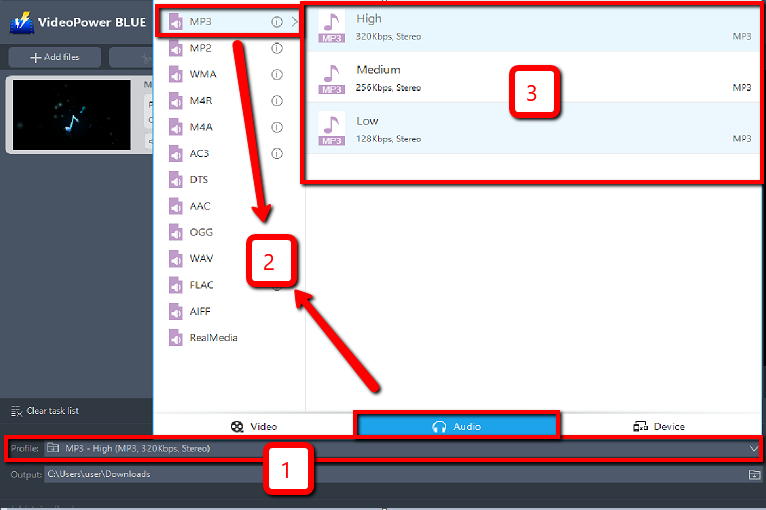
2.1 Set the output format
1. Click to open the “Profile” drop-down menu, then choose the format you want from the profile list.
2. Here you can click “Audio” and then “MP3”.
3. Choose the quality “High, Medium or Low” as per your need.
2.2 Preset settings
After that, click the “Settings” button to open the “Preset editor” window and change the bitrate.

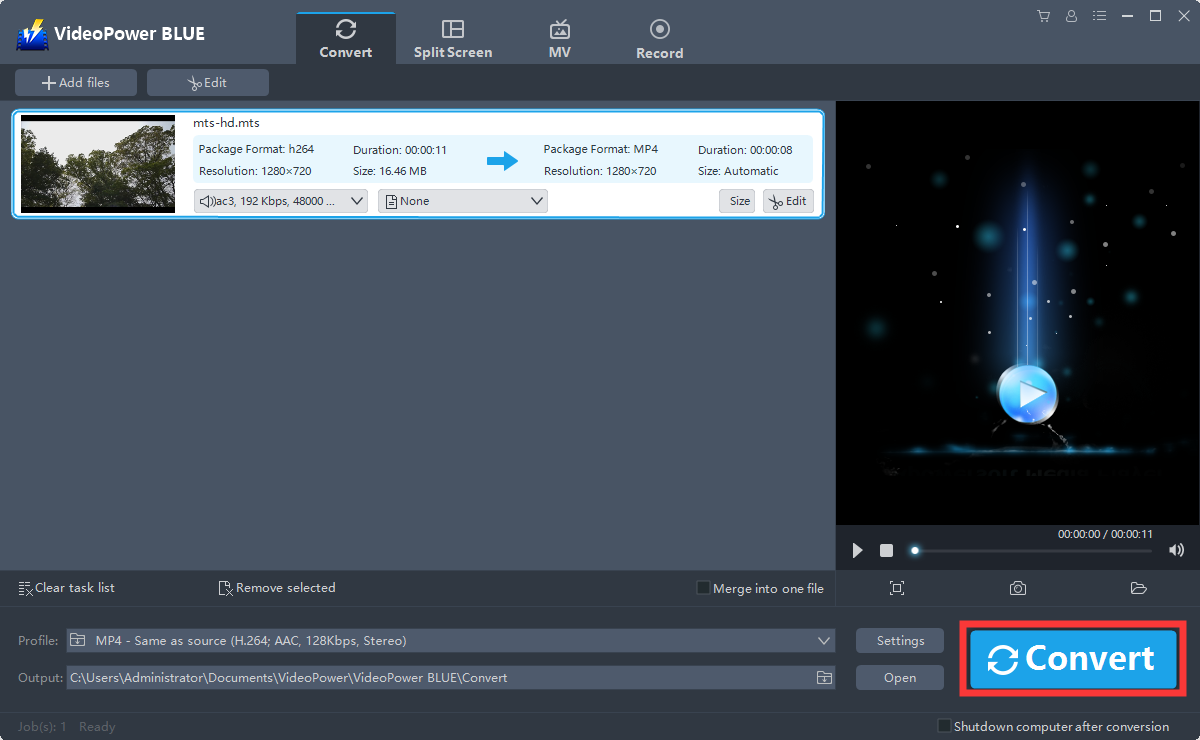
2.3 Start Conversion
Return to the file list.
Click the “Convert” button, then the converted MP3 file will be saved in the default output folder.
2.4 Open saved folder
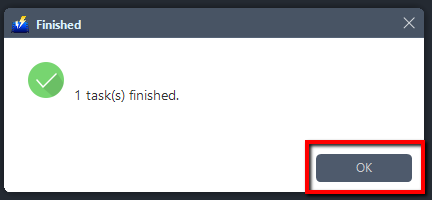
A pop-up window from the program will appear informing you that the conversion is complete.
Click “OK” to open the folder of your saved converted MP3 file.
Conclusion:
VideoPower BLUE, this software is a multi-faceted software that is a simple, easy-to-use and straightforward interface. These functions are built-in video editor that will enable you to edit slideshows or videos, apply watermarks, effects, and other basic video editing options such as trimming or cropping. Moreover, it has a split-screen tool for your photos and videos and a screen recorder which allows you to capture any on-screen activity on your computer.


