





Tips Index
Brief Introduction of MP2
MPEG is short for Moving Picture Experts Group, which represents the MPEG motion image compression standard. The audio file format here refers to the audio part of the MPEG standard, the MPEG Audio Layer which is MP1, MP2, and MP3.
Also, the compression of MPEG audio files is a kind of lossy compression that reduces data size for storing, handling, and transmitting content that makes every file compatible with any device.
Supported platforms
MP2 file format is a common format in television digital broadcasting and digital broadcasting. As a result, it lacks support for audio players.
Thus, converting MP2 to MP3 and another format would be the best choice.
Solution for MP2 format conversion
To make it possible, a third-party application software called VideoPower BLUE is recommended. This software is amazing, hassle-free, trusted and has various useful professional features that can make MP2 to MP3 conversion attainable.
Just click the link below to download and install the app.
Step 1: Import MP2 files
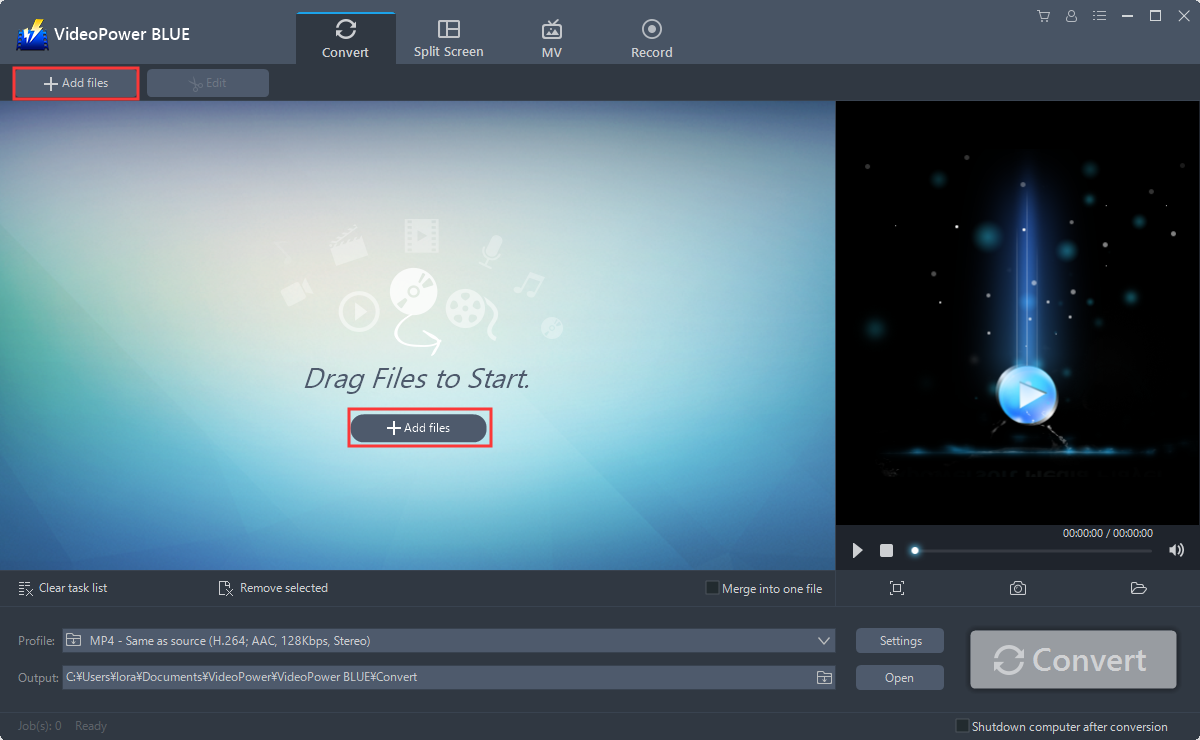
Import the MP2 files that you want to convert into the program. Click the “Add files” button to select files from your PC, or directly drag-and-drop the files to the interface.
Step 2: Convert MP2 files to MP3 format.
2.1 Set Output Format
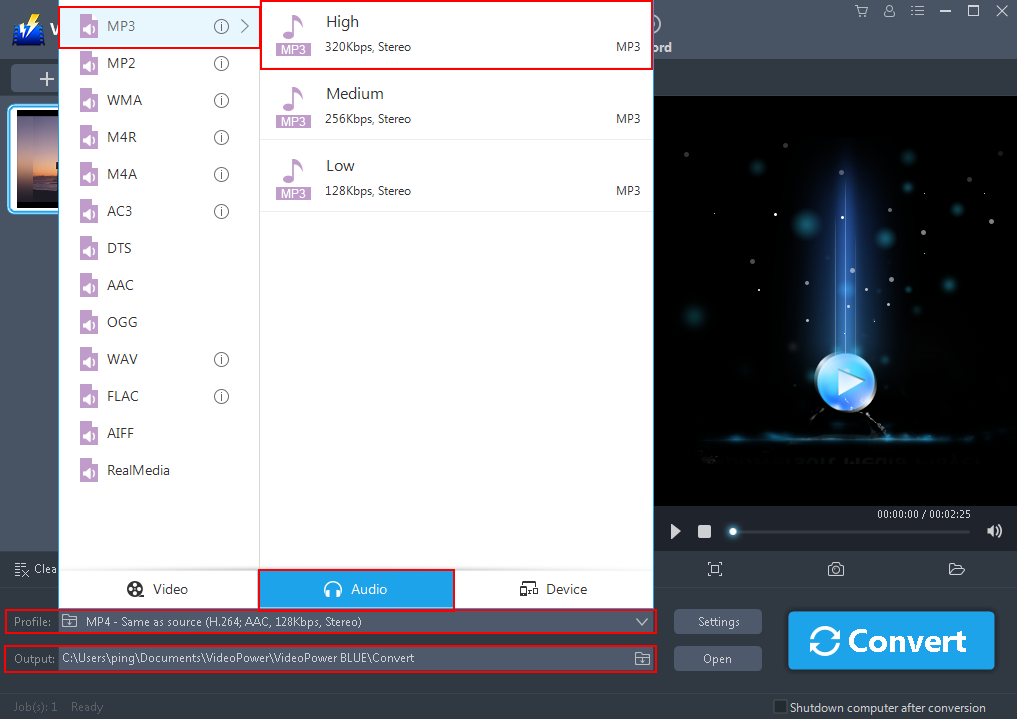
Before conversion, you should set the output format and folder first. Click the “Profile” box to choose “Audio – MP3 – High” and the folder icon to choose an output folder where you want to save the converted files.
2.2 Costumize Settings
You can also customize bitrate, codec, etc. manually. Just click the “Settings” button to enter the “Preset editor” window, then you can change the value and click “OK” to save the settings.

2.3 Start Conversion
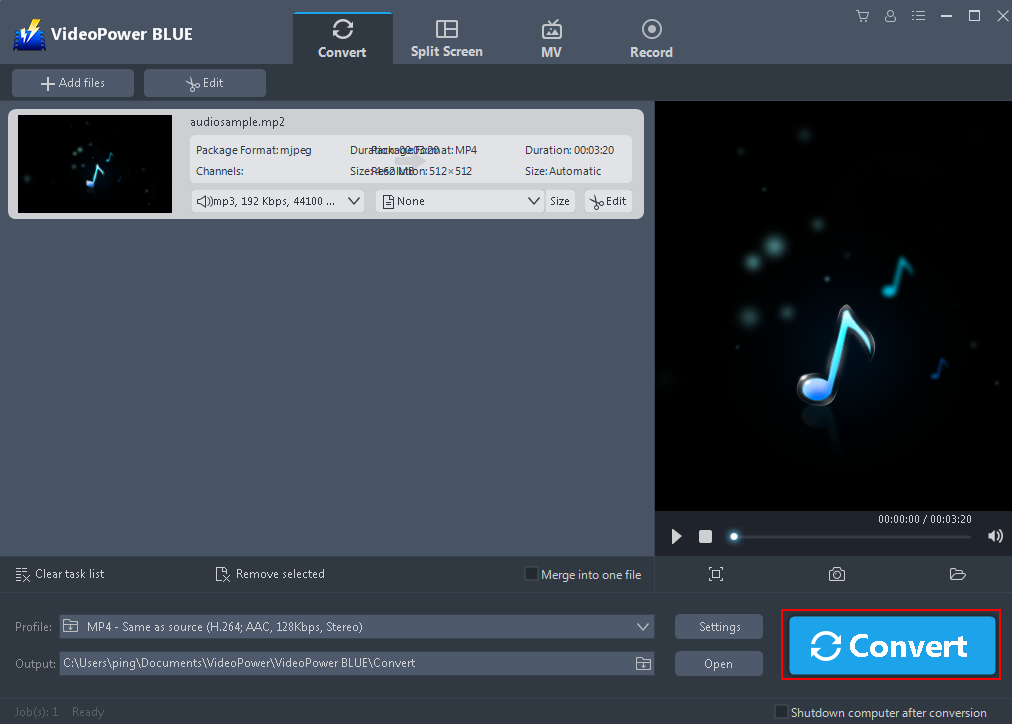
Now click the big blue “Convert” button to start converting.
Step 3: Open saved folder.
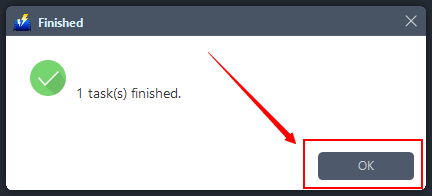
After the conversion is complete. Click “OK” on the pop-up window to open the output folder.
Conclusion:
Most of the time, using formats that are not suitable and compatible with your device is indeed a hassle and stressful. Like using MP2 for your music listening habit. This matter is really troublesome.
Therefore, to enjoy your habit, a third-party application software called VideoPower BLUE is recommended. This software is best suited for converting MP2 format to MP3. Moreover, this tool isn’t only good at converting files but it is also good in various professional functions such as audio, and screen recording, video editing, etc.


