





Tips Index
What is MP4?
MP4 is a set of compression and coding standards for audio and video information, developed by the International Organization for Standardization (ISO) and the International Electrotechnical Commission (IEC) “Moving Picture Experts Group” (MPEG).
The main uses of the MPEG-4 format are online streaming, CD-ROM, voice transmission (video telephony), and television broadcasting. MP4 is one of the more common video file formats used for downloading and streaming videos from the internet. It’s a highly compressed video format that also can store audio, subtitles, and still images with high quality.
MPEG-4 includes most of the features and advantages of MPEG-1 and MPEG-2. Besides, this format adds and extends support for Virtual Reality Modeling Language (VRML), object-oriented composite archives (including audio, video and VRML objects), and digital rights management (DRM) and other interactive features.
One of the more outstanding features of MPEG-4 than MPEG-2 is that it no longer uses macroblocks for image analysis, but records the individual changes in the image. Therefore, even though the image changes rapidly and the bit rate is insufficient, there will be no block picture.
Features of MP4
1) Different coding algorithms can be used for different objects to further improve the compression efficiency.
2) Objects are relatively independent, which improves the reusability of multimedia data.
3) Allow users to operate on a single object, providing unprecedented interactivity.
4) Allowing flexible allocation of bit rates among different objects, more bytes can be allocated to important objects and fewer bytes to minor objects, thus achieving better results at low bit rates.
5) It is convenient to integrate natural audio and video objects and synthesized audio and video objects.
6) It is an open standard file that is easy to use by anyone.
7) It offers complete support for many different operating systems which makes it more reliable, thus allowing easy distribution.
8) It gives higher levels of compression which produce smaller file formats as compared to other file types.
MP4 conversions
Because of the advantages of the MP4 format, it is the most widely used in devices. Conversion from another format into MP4 is often done for compatibility purposes.
One of the best ways to convert files is to use software conversion tools. VideoPower BLUE is a great software to use so you can convert video files into MP4 format.
Below is the step-by-step guide on how to convert MOV to MP4.
Step 1: Add MOV file(s) to convert it to MP4
Run the program if you have installed the VideoPower BLUE successfully on your PC. You can directly import the MOV file to the program by clicking the “Add files” button or by drag-and-drop to the interface.

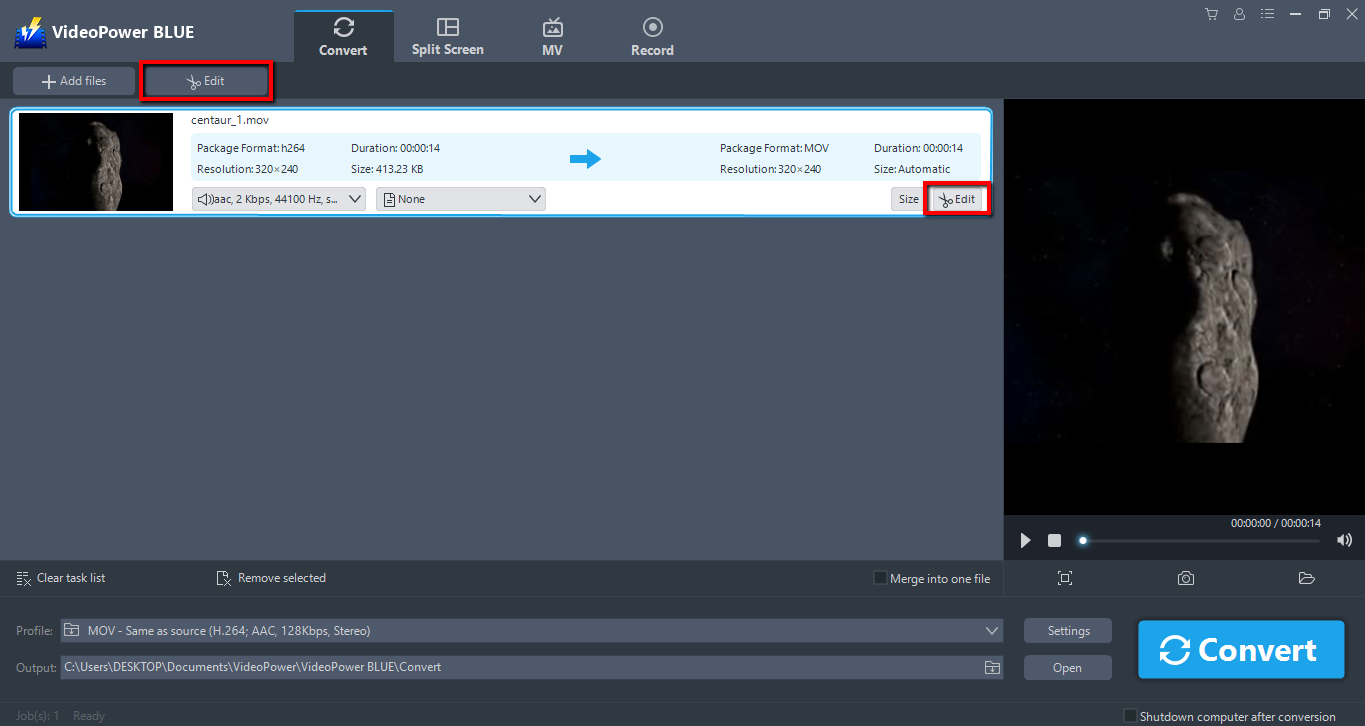
Step 2: Edit the MOV file before conversion
Before converting it to MP4, click the “Edit” button at the right side of the added MOV file to enter the Edit window so you can design your MOV video now.
Step 3: Start converting MOV videos to MP4 format
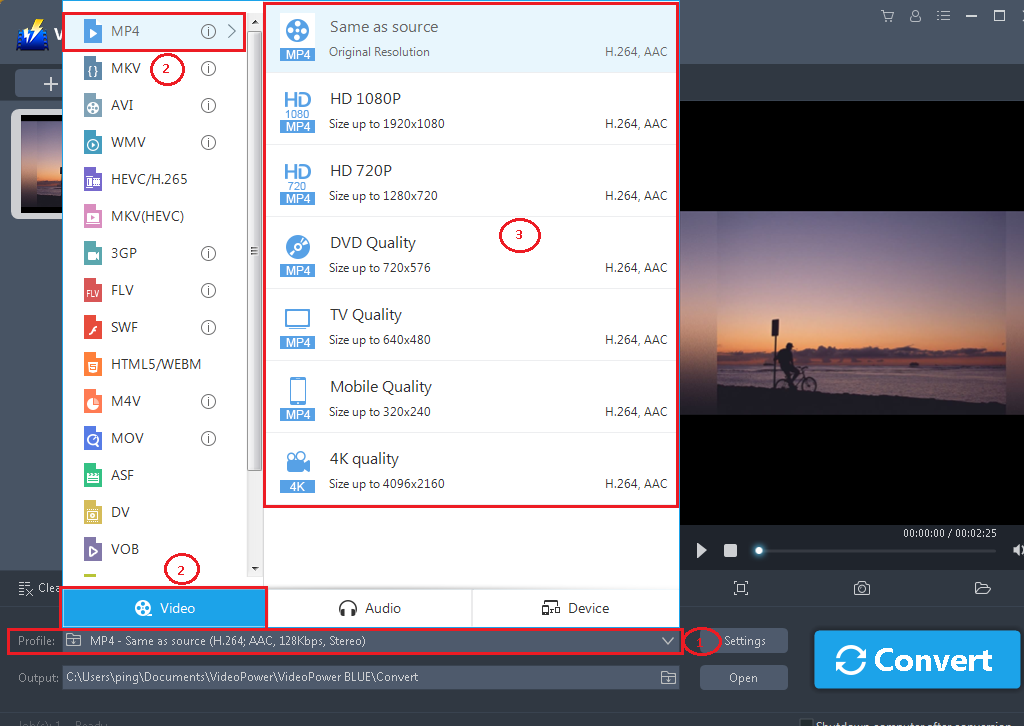
Before conversion, set the output in the following sequence:
1) Click the “Profile” bar
2) Choose “Video”.
3) Set the format to “MP4 – Same as source”.
You can also choose the quality of your video as per your needs.
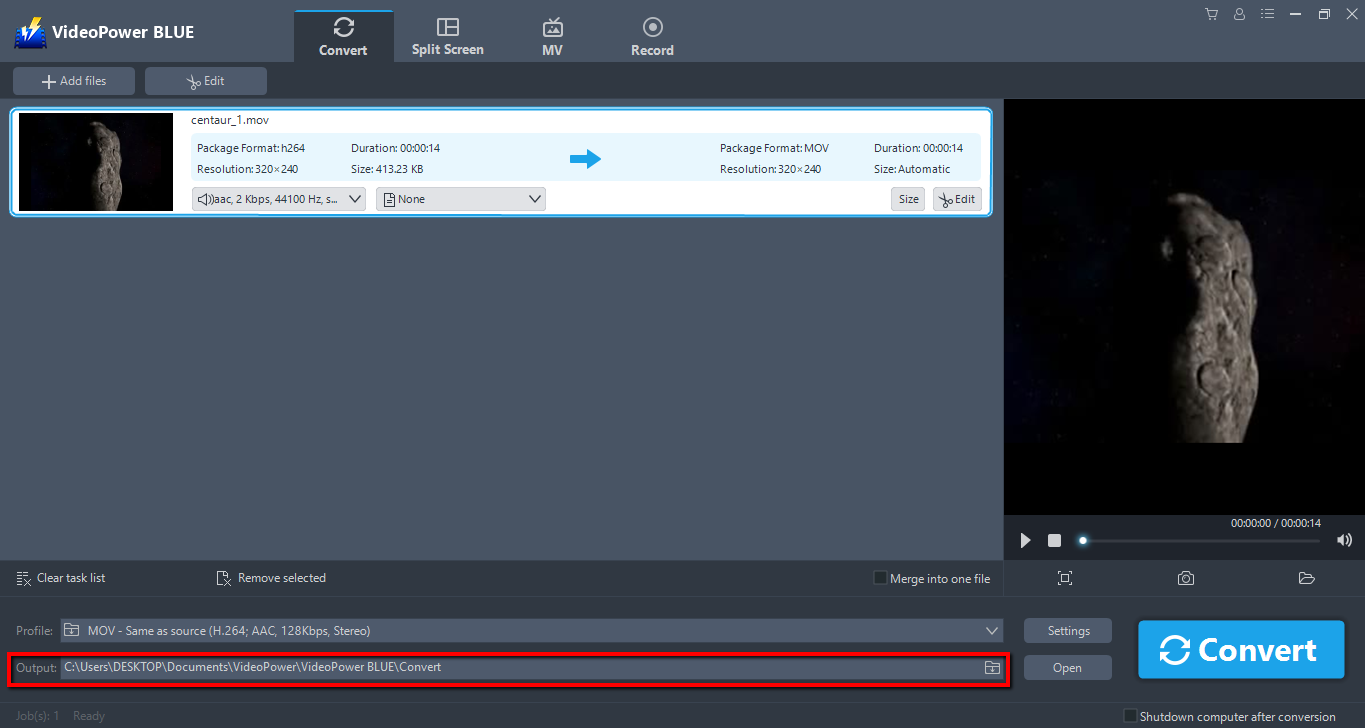
Choose a location to save the converted MOV files. Click the “Output” icon and select the destination wherever you want to store the file.
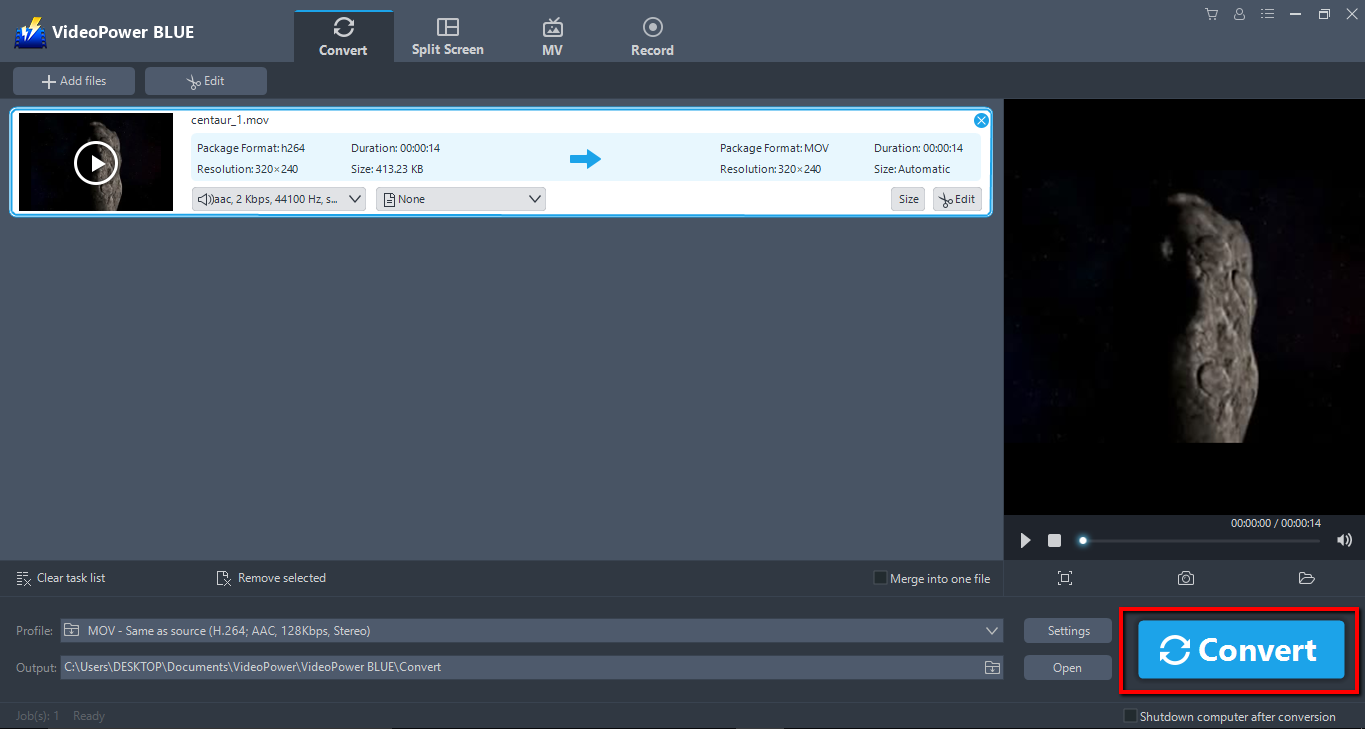
After setting the output location, click the “Convert” button, then the software will start to convert MOV to MP4 format.
The program will pop up a window to inform you once the conversion is completed. Click “OK” to open the folder of your saved converted MOV files.

Conclusion:
Due to its wide array of formats to choose from, VideoPower BLUE is the best converter out there.
A full packed converter that supports many video formats into MP4 format with video editing function, enables adding subtitles, apply watermarks, make MV and split-screen videos. More importantly, it can record screen activity in many different ways, offline and online.
To avoid compatibility issues and to not waste your time, converting video files into a more common and compatible format is a wise decision.


