





Tips Index
Despite the massive decline in sales of physical copies of music, there are still a large number of people that use them for sentimental purposes – or preference, for that matter. With VideoPower YELLOW, you can burn a CD on Windows 10 easily.
It supports popular audio formats. This tool allows you to easily record any streaming audio from music sites, video sharing websites, radio stations, and voice messaging apps in Windows 10.
VideoPower YELLOW is a comprehensive tool that enables users to get music in 3 ways and burn the music to a CD with no quality loss.
If you want to download the program, just click on the link below.
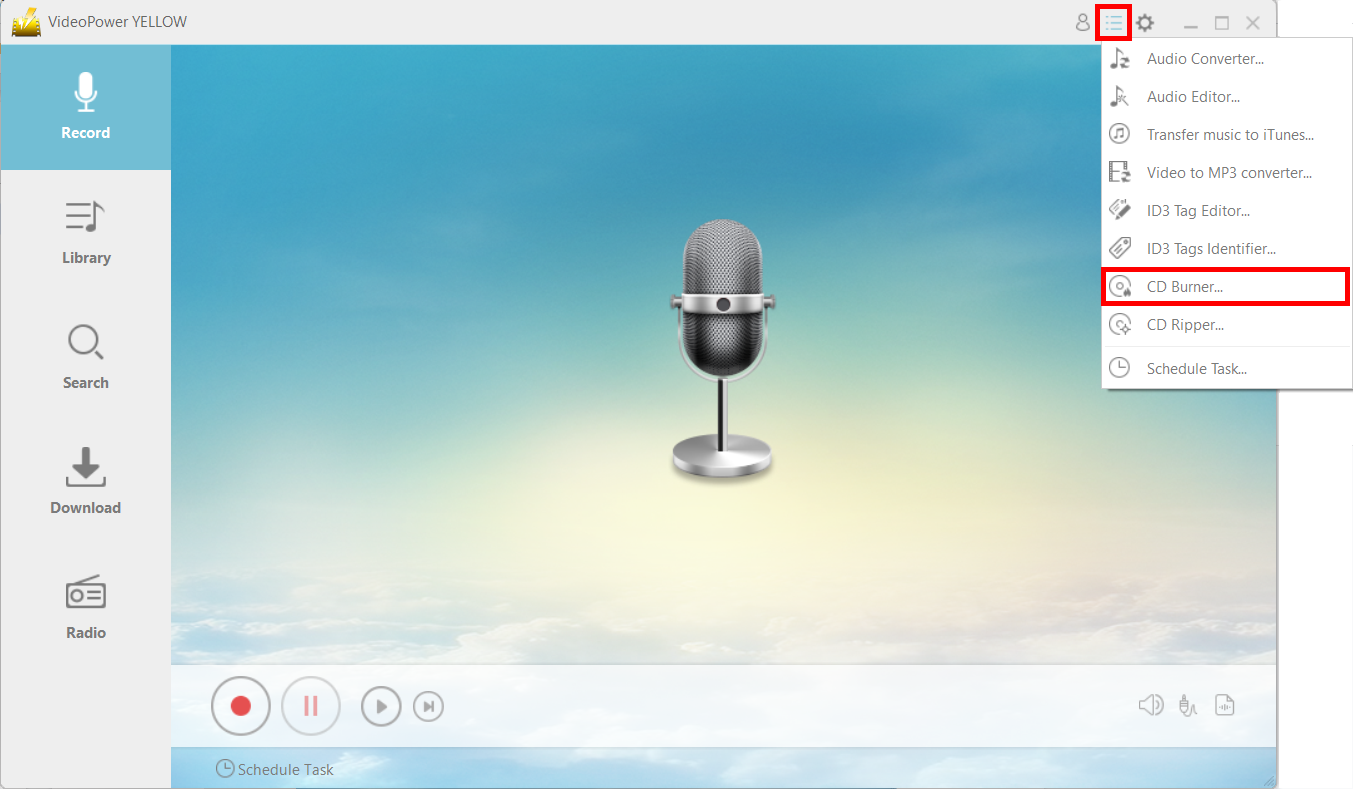
Step 1: Open CD Burner Window and add file
Click on the menu icon and choose “CD Burner.”
Click the “+Add” button to add the file that you want to burn to the CD.
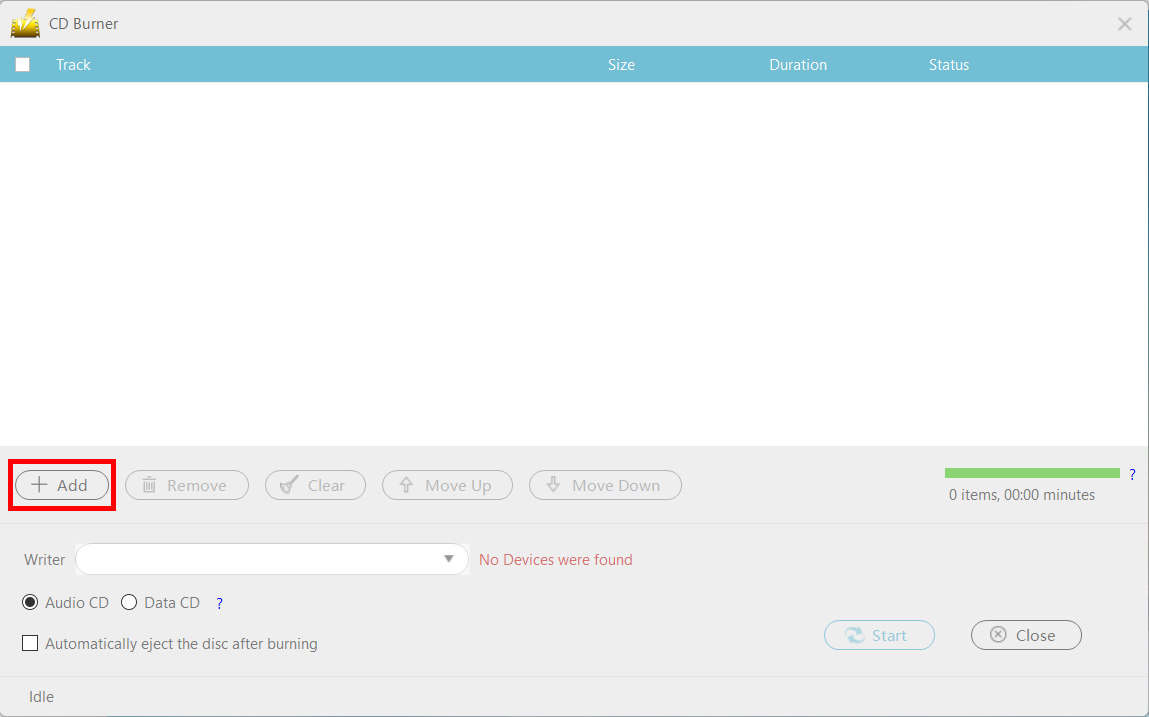
Step 2: Burn the music data to the CD.
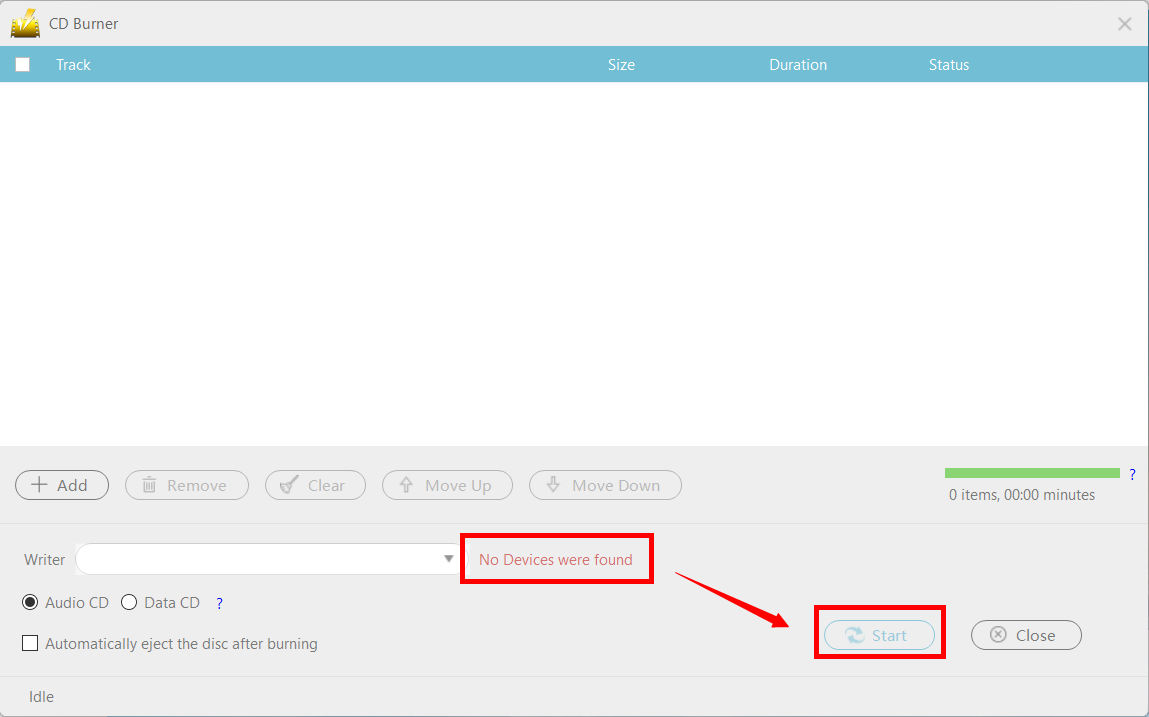
When you insert a writable blank CD disc into the drive, the red text “No Devices were found” should change to “CD-R” and you can now press the “Start” button to start the burning.
Conclusion:
Although physical copies for music are about to become extinct in the market, there are still people that prefer to use them – be it for matters of sentimentality or practicality, such as not wanting to waste their CD player. VideoPower YELLOW is a great program that can burn music on your CDs.



