





Tips Index
The FLAC file extension stands for Free Lossless Audio Codec file, an open-source audio compression format. It can be used to compress an audio file down to around half of its original size.
Audio compressed via FLAC is lossless, so it means that no sound quality is lost during the compression.
While WAV is a file extension for an audio file format created by Microsoft. The WAV file has become a standard PC audio file format for everything from system and game sounds to CD-quality audio.
Some users opt to convert their FLAC files to WAV because of compatible issues and easy compressions. If you are here for the same reason then, read along.
VideoPower BLUE is a very useful software not only can help you convert FLAC to WAV without quality loss, but also has a lot of other features including format conversion, screen recording, and basic video editing where you can do video cutting.
You can try to use the software for free by downloading its trial version below.
Step 1: Add the FLAC file to the program
It will run automatically after the installation is finished. Add your FLAC audio into the program to convert it to WAV. Click the “Add files” button to select one or more files from your PC, or directly drag-and-drop the selected files to the interface.
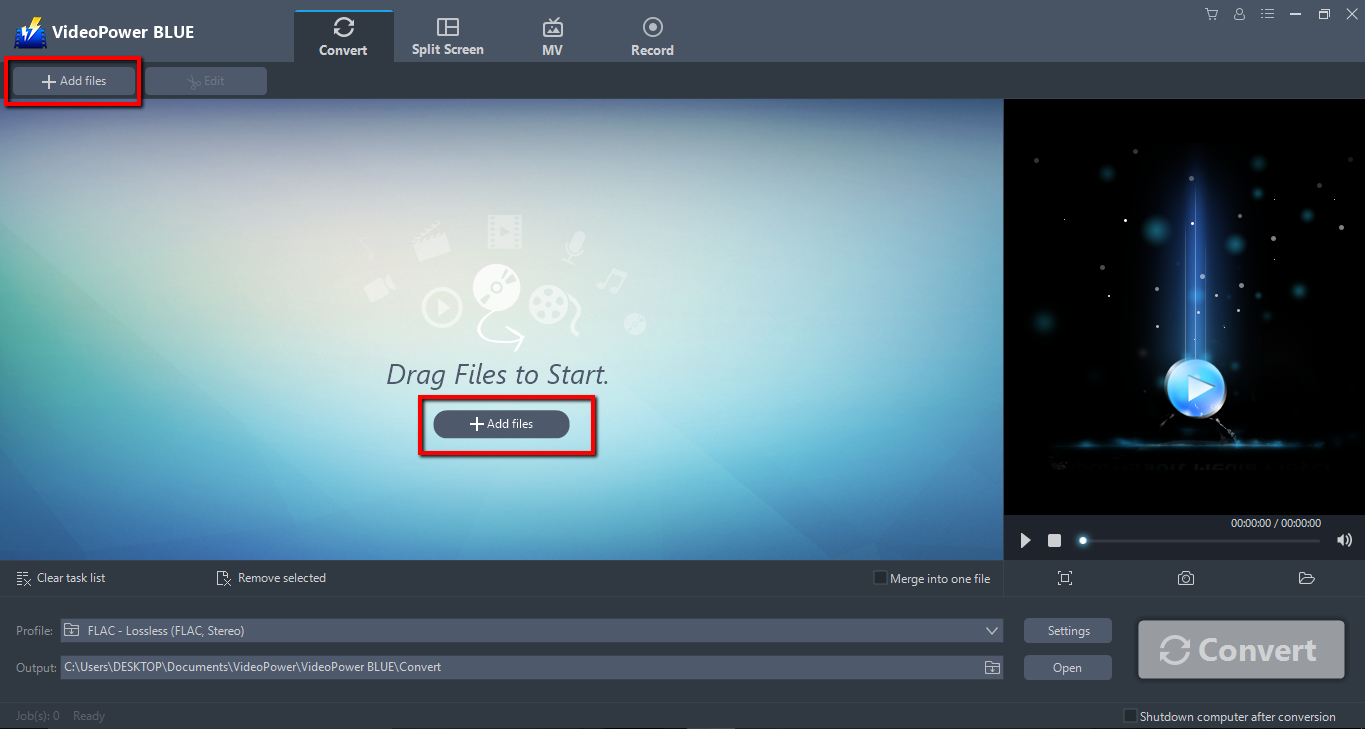
Step 2: Edit the FLAC file before conversion
If you want to edit the file first before converting, just click the “Edit” button at the right side of the added FLAC file to enter the Edit window so you can design your FLAC now.
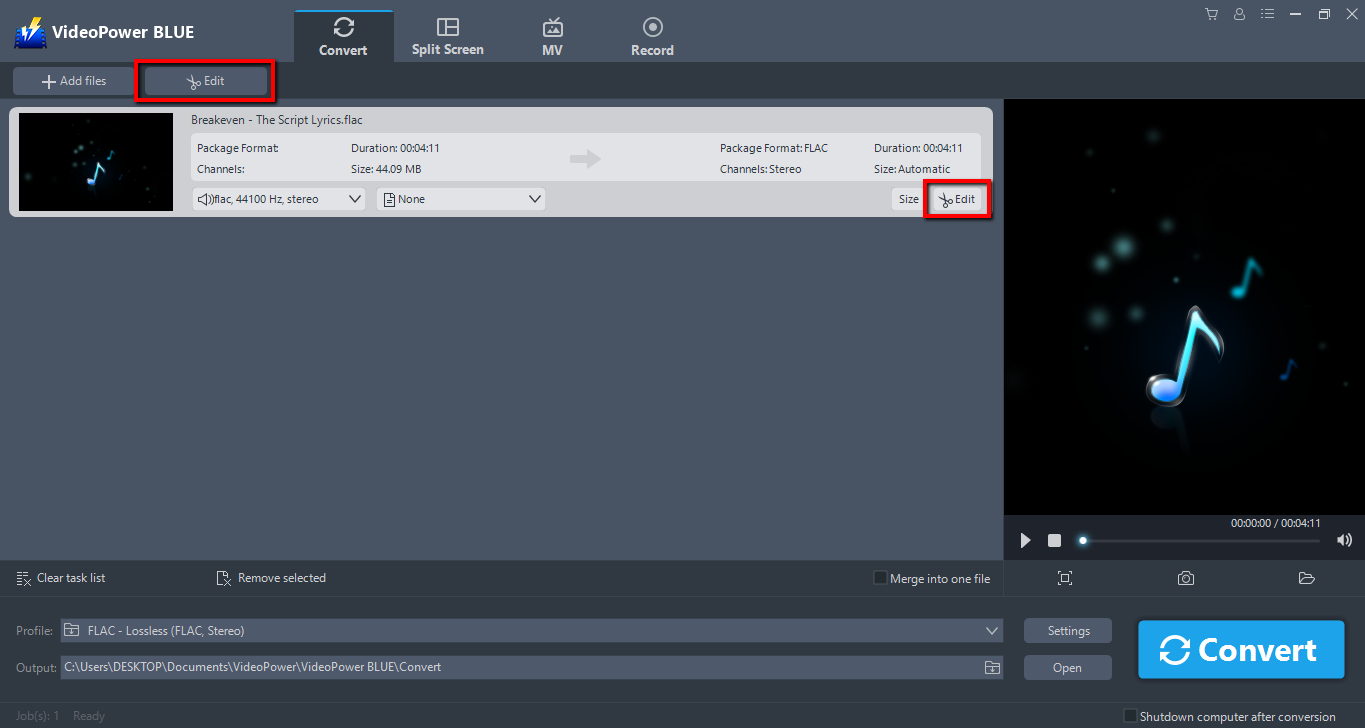
Step 3: Convert FLAC audio to WAV format
Before conversion, you should set the output format and folder first as the default output format is MP4.
1.) Click the “Profile” bar
2.) Choose “Audio”
3.) Set the format to “WAV – LossLess”
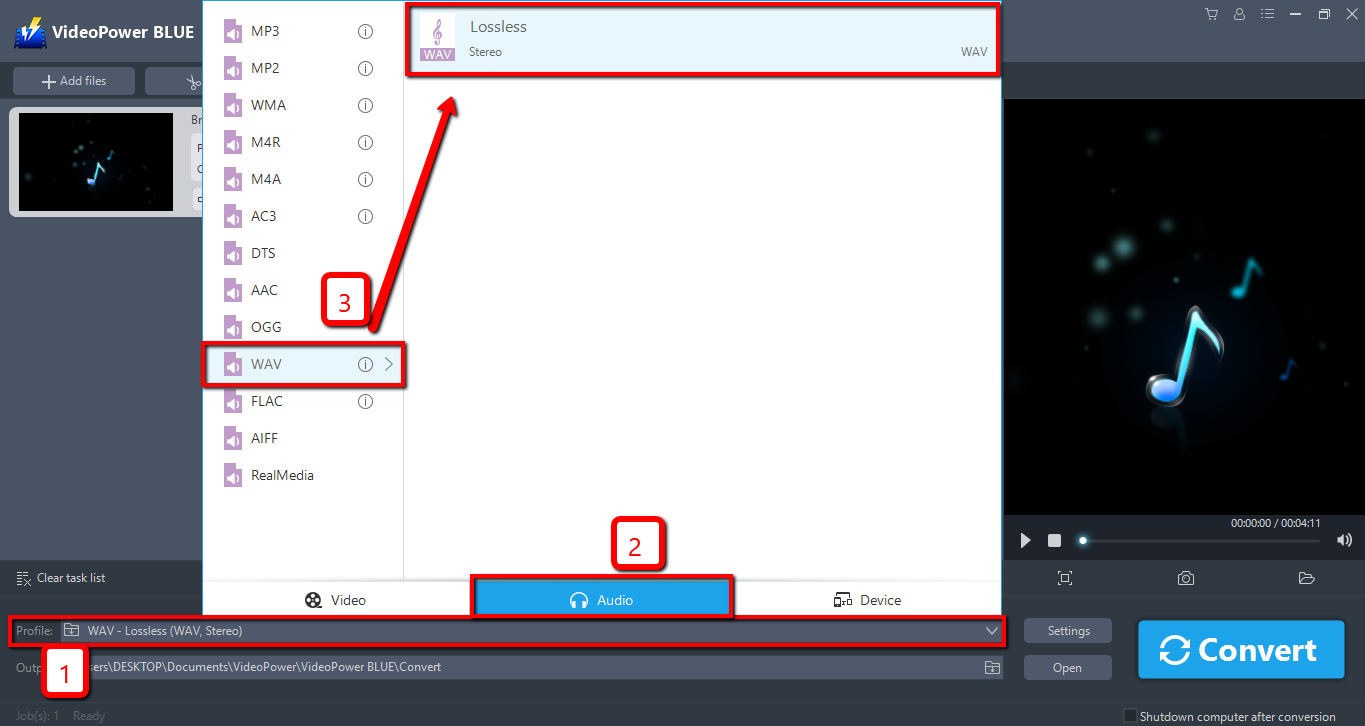
Choose a storage location to save the converted files. Click the “Output” icon and select the destination wherever you want to store the file.

After setting the output location, click the “Convert” button, then the software will start to convert and save the edited video in WAV format.
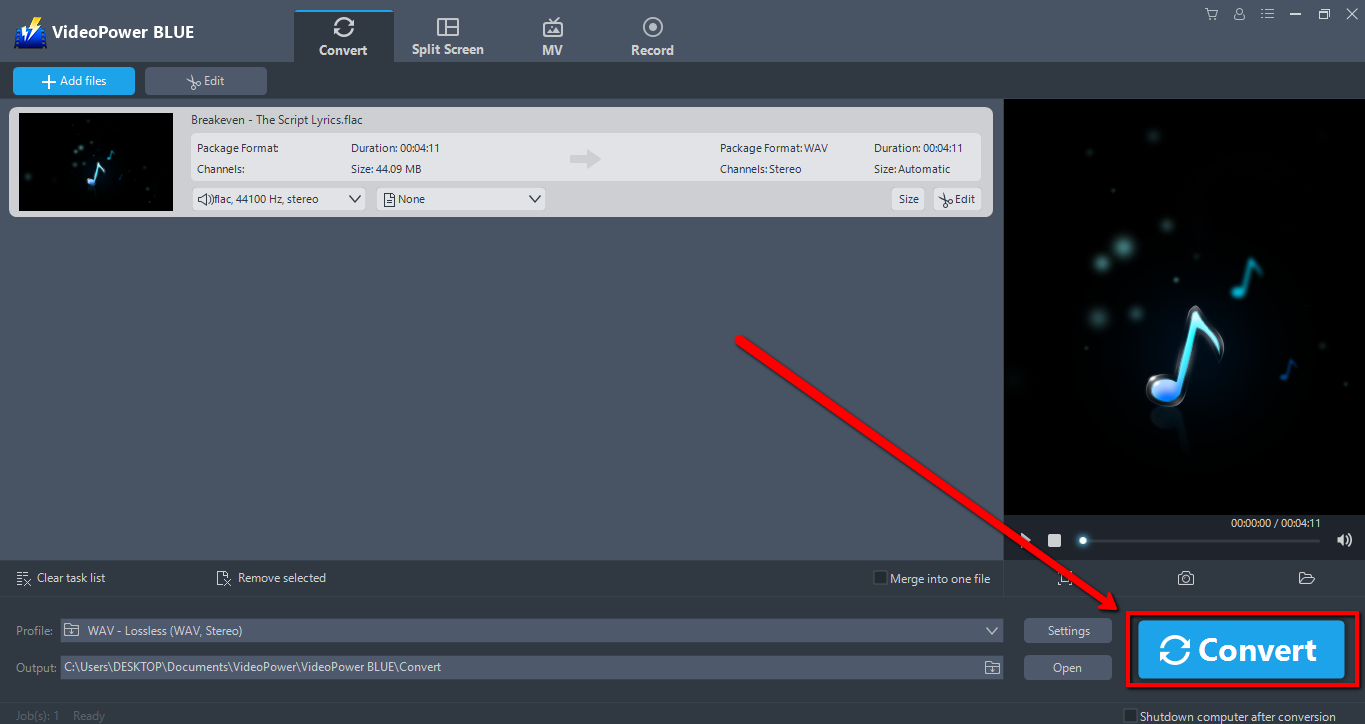
The program will pop up a window to inform you once the conversion is completed. Click “OK” to open the folder of your saved converted WAV files.

Conclusion:
The conversion speed is easily affected by the network status when using popular online converters, but it won’t be a problem any longer as long as you use VideoPower BLUE to convert FLAC to WAV. A wise choice because of its user-friendly and satisfactory interface and fast conversion speed. aIt preserves original quality while converting and that is the reason why most people like to use it.
VideoPower BLUE has a video editor tool, split-screen feature for your photos and videos and a screen recorder that allows you to capture any on-screen activity on your computer.


