





Tips Index
DVD which refers to “digital versatile disc” or “digital video disc”, is a digital optical disc storage format. It became all the rage because of the development of entertainment. Over time, DVD is not considered to be a good way to save videos because it is not playing conveniently. Even if you’re able to extract the VOB video file from DVD, it’s still not supported by most of the portable devices like iPhone, iPad, iPod, Android mobile phone or tablet cannot run DVD format well.
Some people have a few DVDs of MV songs at home, and they will only listen to them occasionally at home too. What a waste!
Have you ever considered what you can do to make the best use of them? Is there any way to extract songs from DVD discs directly into MP3 format files for easy storage on a portable MP3 or other mobile devices, so that you can listen to the songs anytime and anywhere?
Here’s a tip for you. You can use a format conversion software, VideoPower BLUE.
VideoPower BLUE is a very useful video converting software bundled with a variety of features such as screen recording, capture, and conversion. This software can help you convert DVD to MP3 in a few clicks.
Download and install the program on your PC with the link below to start the conversion.
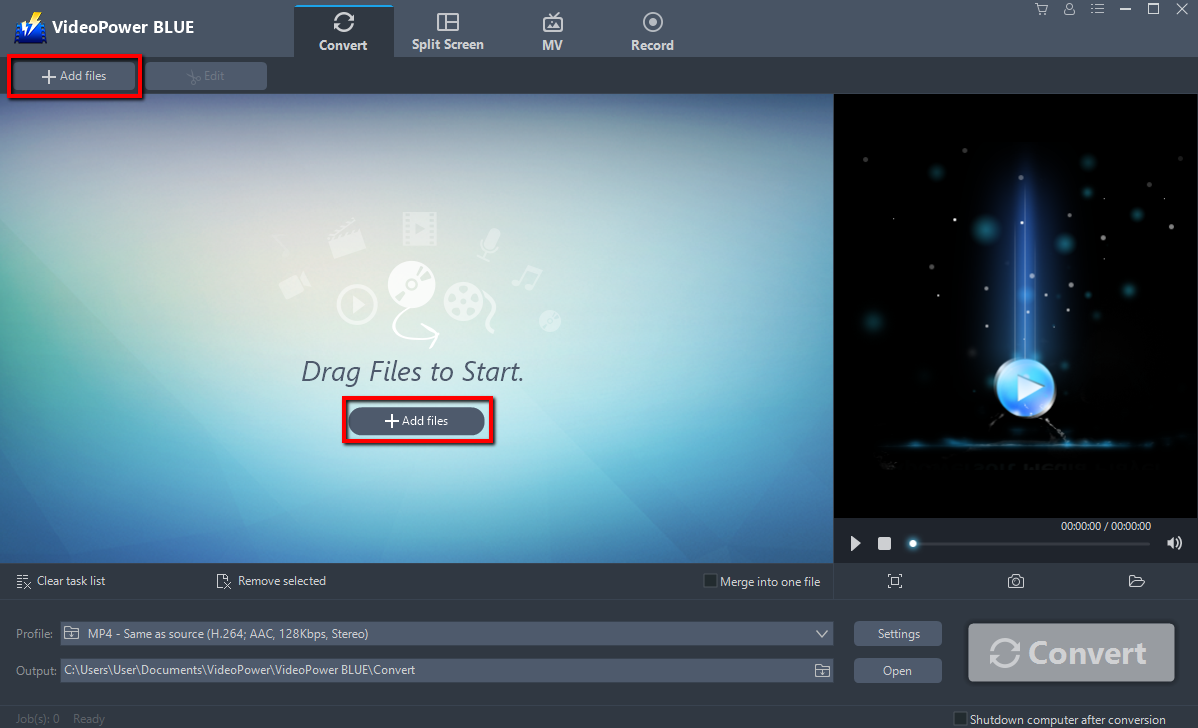
Step 1: Add files to the program.
It will run automatically after the installation is finished. Click the “Add files” button to select files from your PC, or directly drag-and-drop the files to the interface.
Step 2: Edit file before conversion
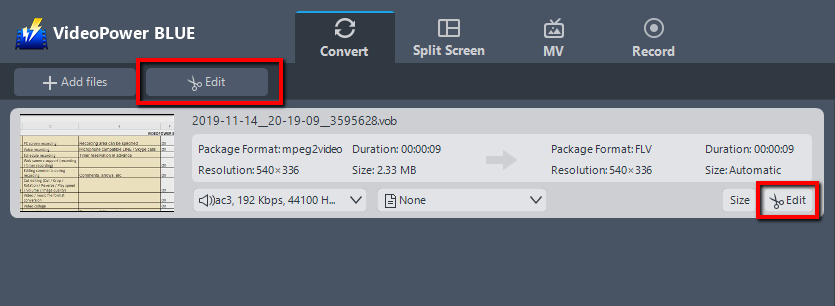
If you need to edit the file before conversion, follow the instructions below.
The imported file is displayed in the list.
Click the “Edit” button on the right side of the file.
Step 3: Convert DVD to MP3 format.
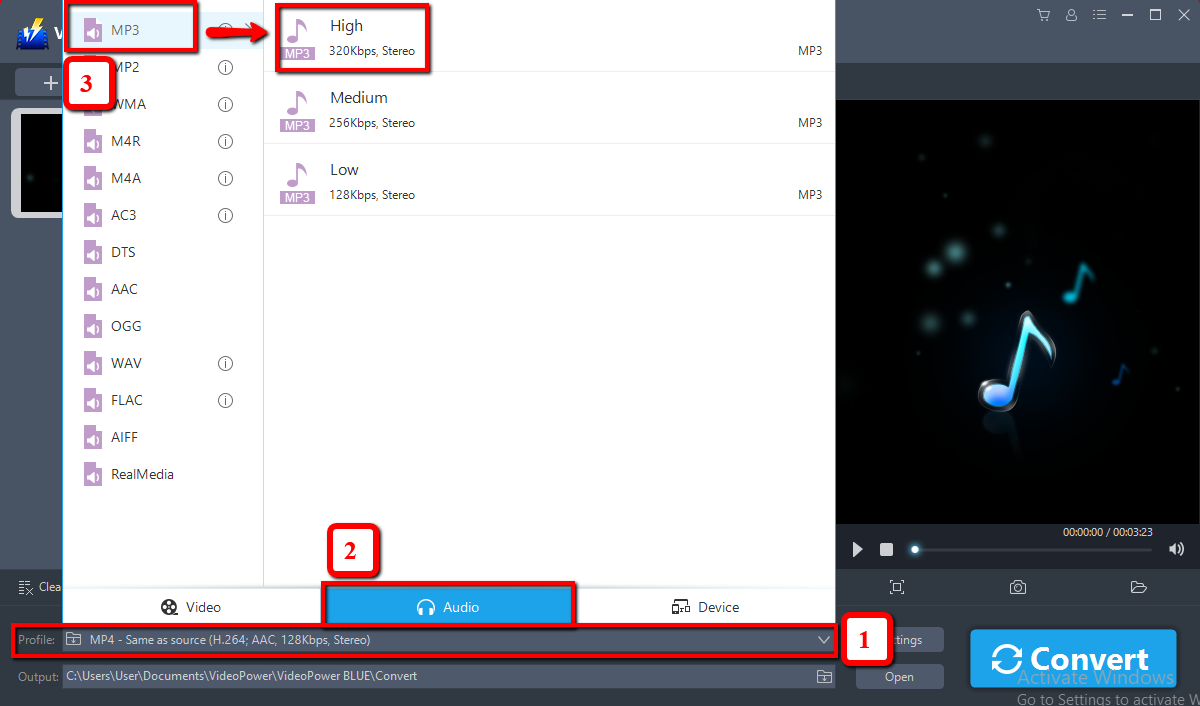
3.1 Set the output format.
Click to open the “Profile” drop-down menu, then choose the format you want from the profile list. Here choose “Audio”, “mp3”, and quality “High” or whatever quality you deem appropriate.
3.2 Start Conversion.
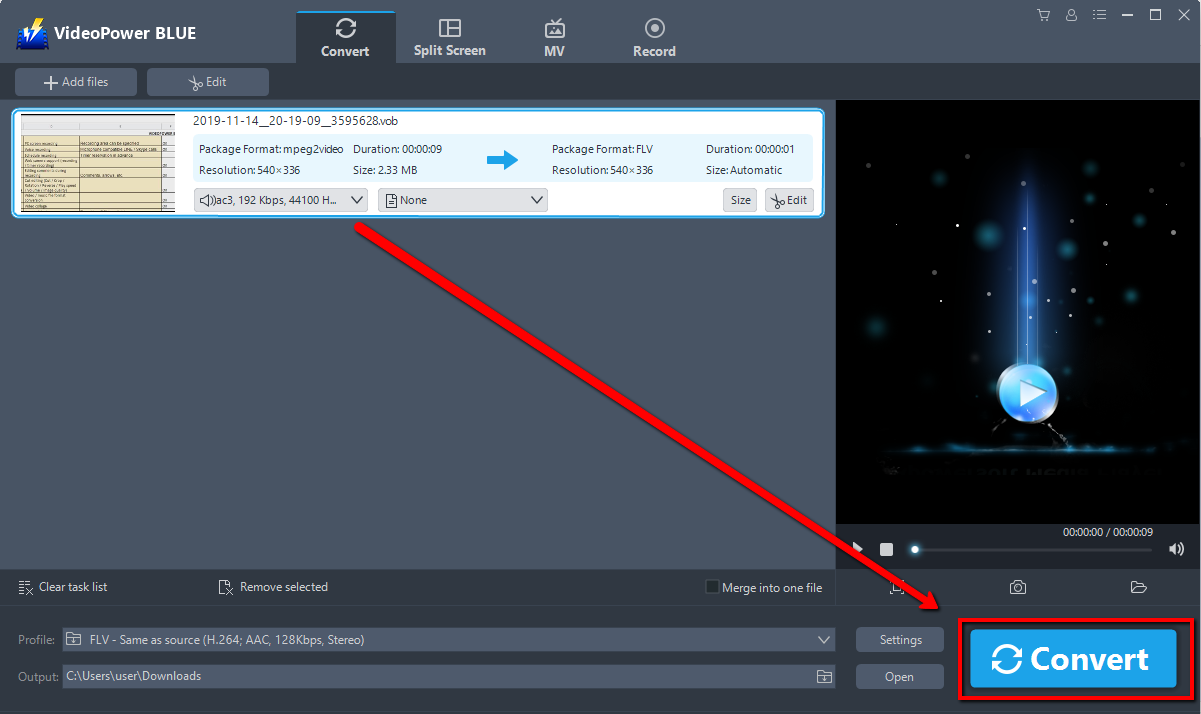
Now click the big blue “Convert” button to start converting.
3.3 Open Saved Folder
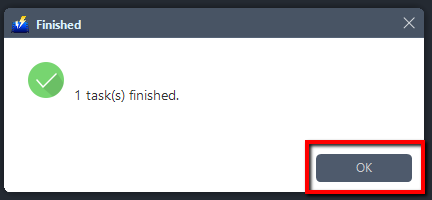
A pop-up window from the program will appear informing you that the conversion is complete. Click “OK” to open the folder of your saved converted MP3 files.
Conclusion:
Along with the age of rapid development of multimedia technology, converting DVD files into a more common and compatible format is a necessity.
VideoPower BLUE , a powerful converter that supports any conversion of video and audio formats with video editing function, enables adding subtitles, apply watermarks, make MV and split-screen videos. More importantly, it can record screen activity in many different ways, offline and online.


