





Index
RED
6. Download Audio
This product can download audio files directly from all sites.
6.1 Select audio format
1) Select the “Settings” menu;
2) Select the “Settings” tab;
3) Select the “Format” tab;
4) Select “Audio”; and
5) Select the audio format from MP3 and AAC.

6.2 Select to download audio
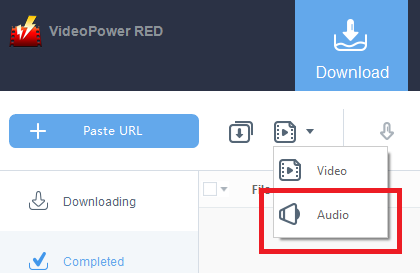
Open the “Download” tab and select “Audio” as the media type to download.
6.3 Start to download Audio
Open the video playback page with a PC browser and copy the URL.
Switch to the VideoPower RED operation screen and click “Paste URL” to quickly download the audio file.
Note: Once downloaded, you can transfer this audio file to your mobile device. This allows you to listen to audio anywhere.