




Index
RED
5. Download YouTube Playlist
Download hundreds of thousands of videos from YouTube with just a few clicks.
1) Access the YouTube channel with a browser such as IE or Chrome. Click [Playlist] to display a number of playlists created by the user. Copy the playlist URL from the browser.
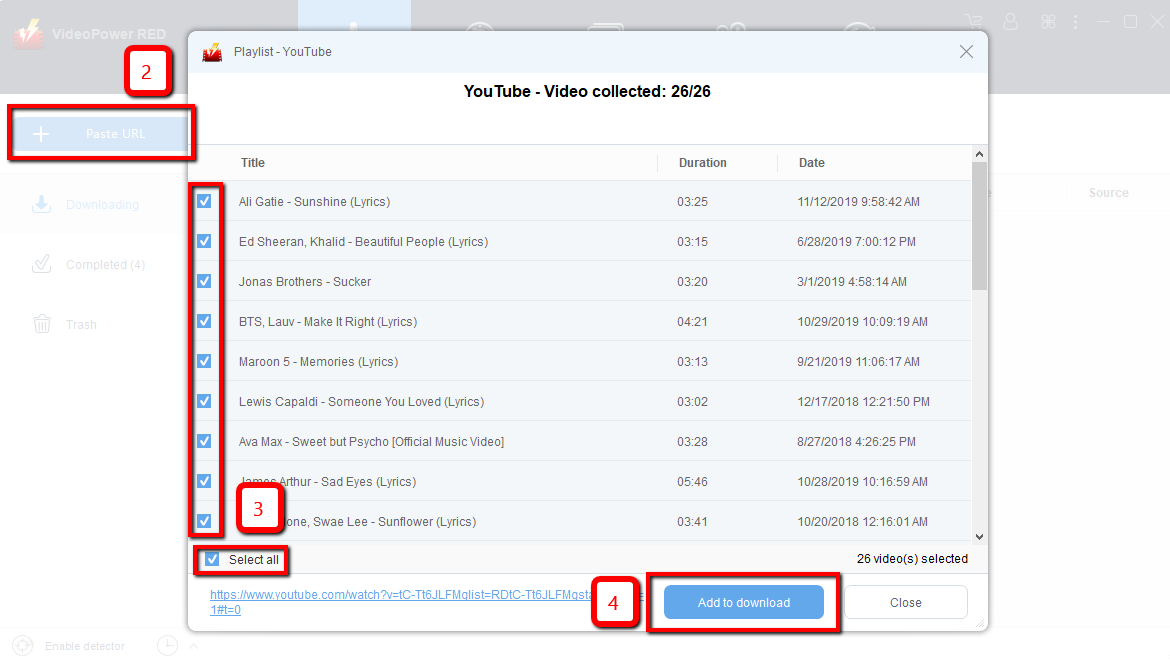
2) Click the “Paste URL” button in VideoPower RED.
3) Select the video you want to download in the pop-up window.
4) Click the “Add to download” button then the video will be automatically added to the “Downloading” list.